 Manual
Manual · The book
Languages & translations
Your application in your customer's language — typed as always, filled by the Mac, and what a human translated the machine never touches again.
You work as you always did
You type your captions, button titles and menu entries in your language — the base language, set in the application settings (“This application is written in”). A single-language application needs nothing else: no command, no files, nothing to maintain. Everything on this page is what happens when you want a second language.
One entry per table: Translations
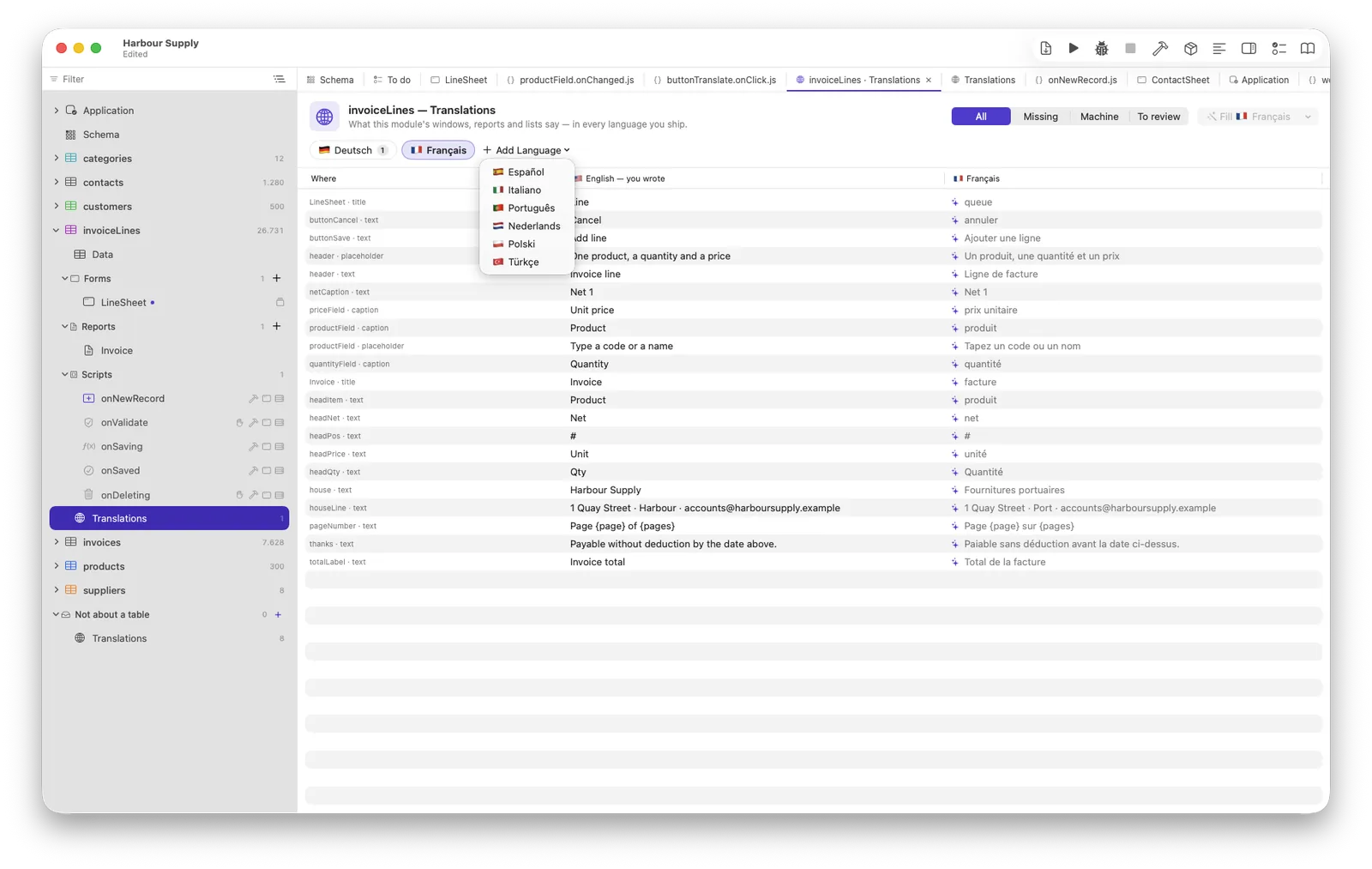
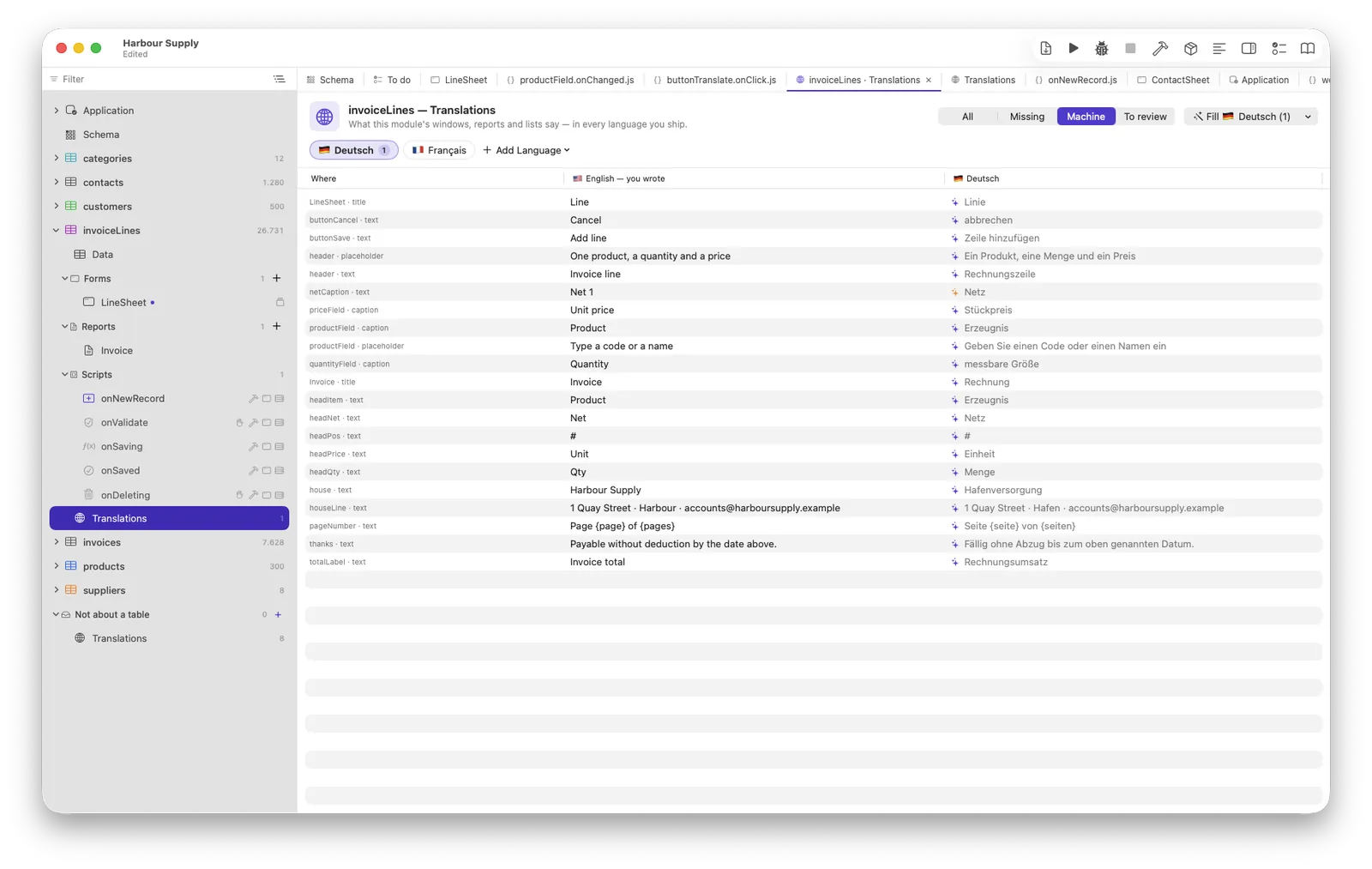
Every table's navigator branch ends with a Translations row (and “Not about a table” has one for menus and loose forms). It opens a table of every text the module says — window titles, captions, placeholders, column titles, tab pages, menu entries, report texts — with one column per language, typeable in place. You never list these texts yourself: the IDE enumerates them from the structure, so the list is always complete and never stale.
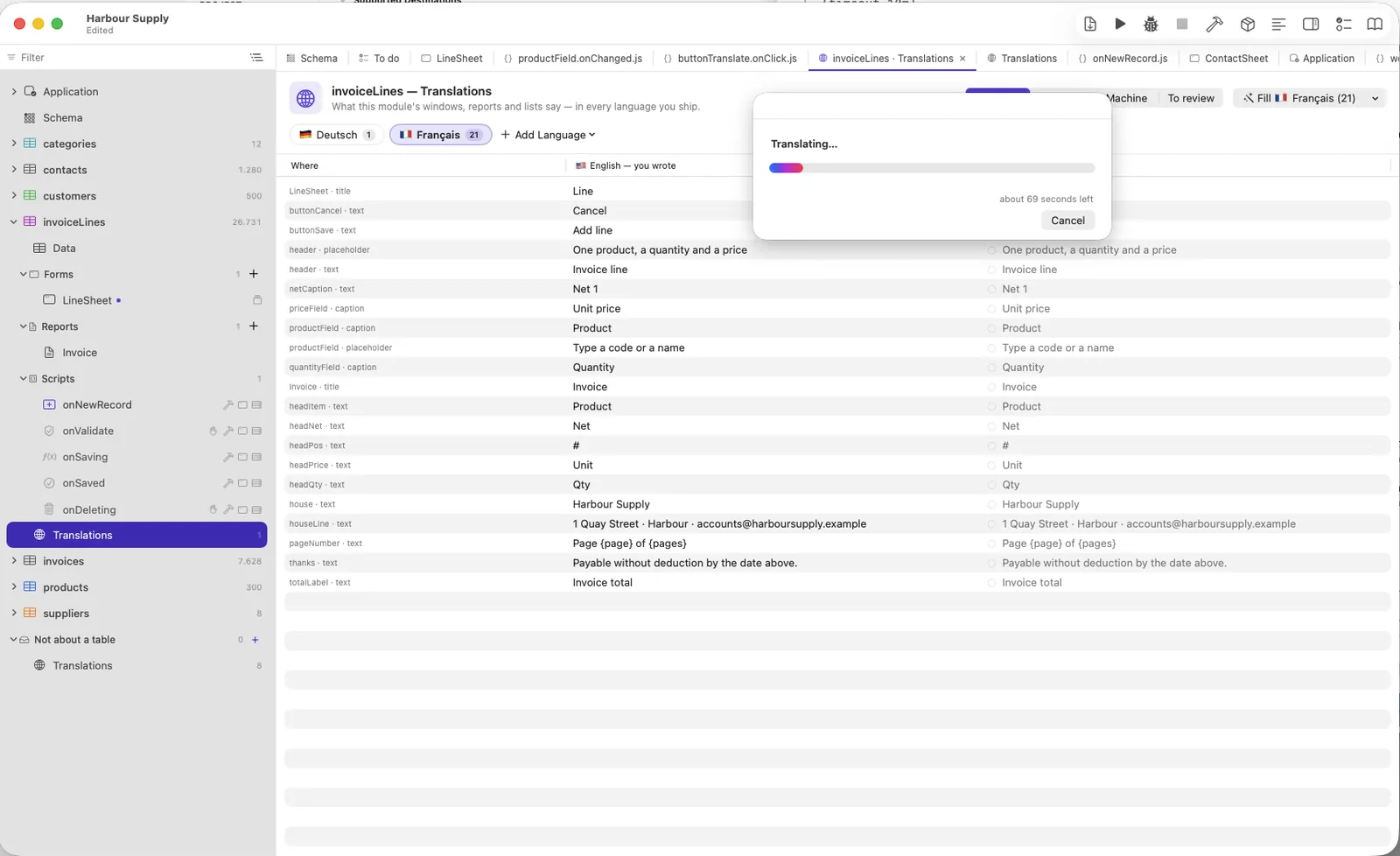
Add Language opens a column — added once, it appears in every module. Fill Missing Translations lets the Mac translate what is empty: offline, on your machine, nothing leaves it.
Translation as data with a memory
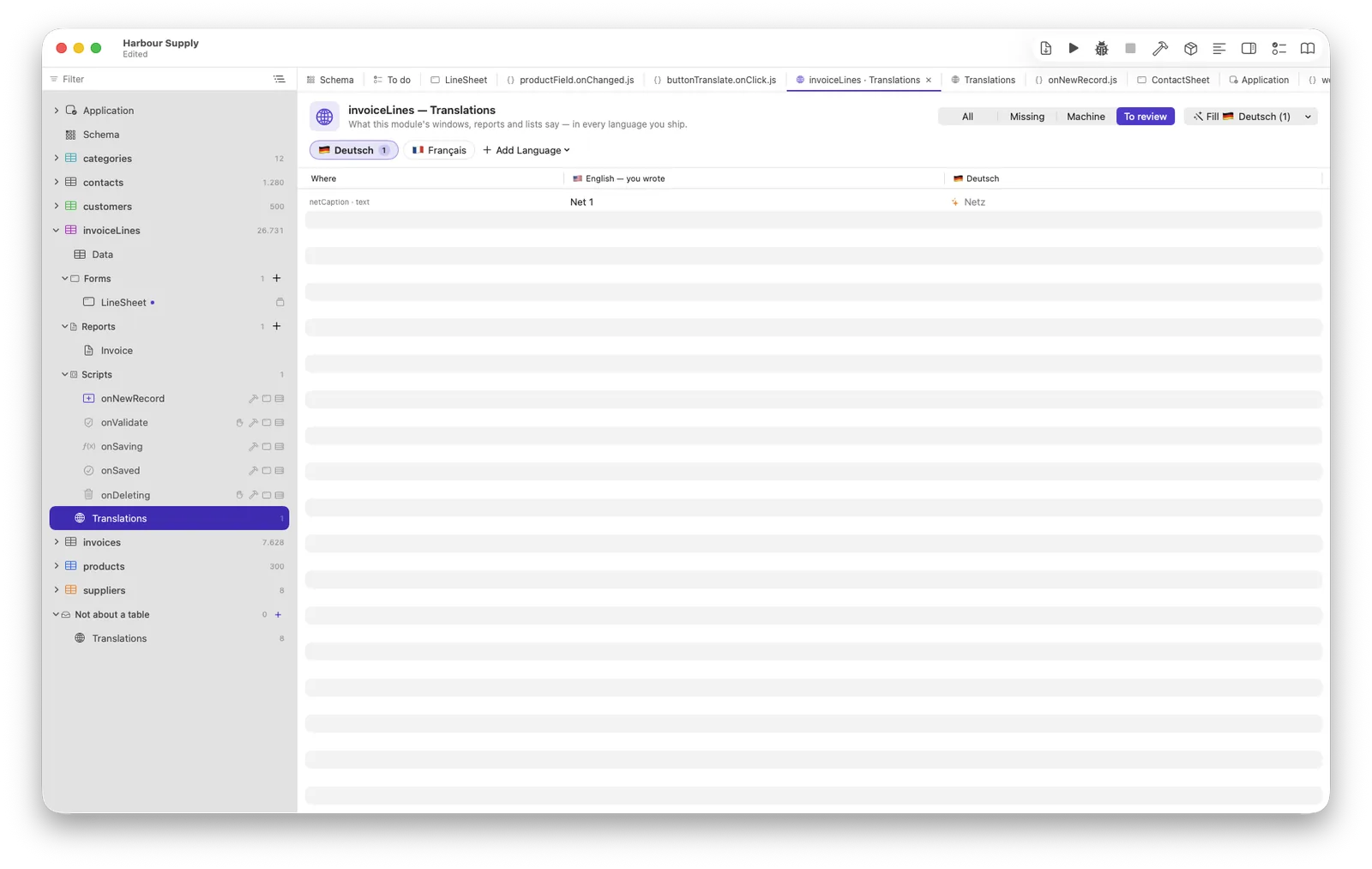
Every entry remembers the base text it was made for, and who made it. That one idea decides everything:
- Machine-made entries (gray dot) may be improved or redone by the machine — it only ever overwrites its own work.
- What you typed, the machine never touches again. Typing into a cell makes it yours, and no machine fill touches it again.
- When you change a base text, a machine translation goes stale (yellow dot — the next fill redoes it), and your translation becomes a question only you may answer: marked yellow with a ⚠, a ✓ beside it to say “still right”.
- Emptying a cell means “no translation” — the base text will show, and the machine may offer again.
Sentences in scripts: language.text
In code, Neuridion cannot know which string is for the person's eyes and
which is data — where("city", "=", "Hamburg") must never be
translated. So a script marks its sentences, and the mark is the whole
rule:
messages.alert(language.text("Saved!"));
language.text("Invoice {number} saved", { number: invoice.number })
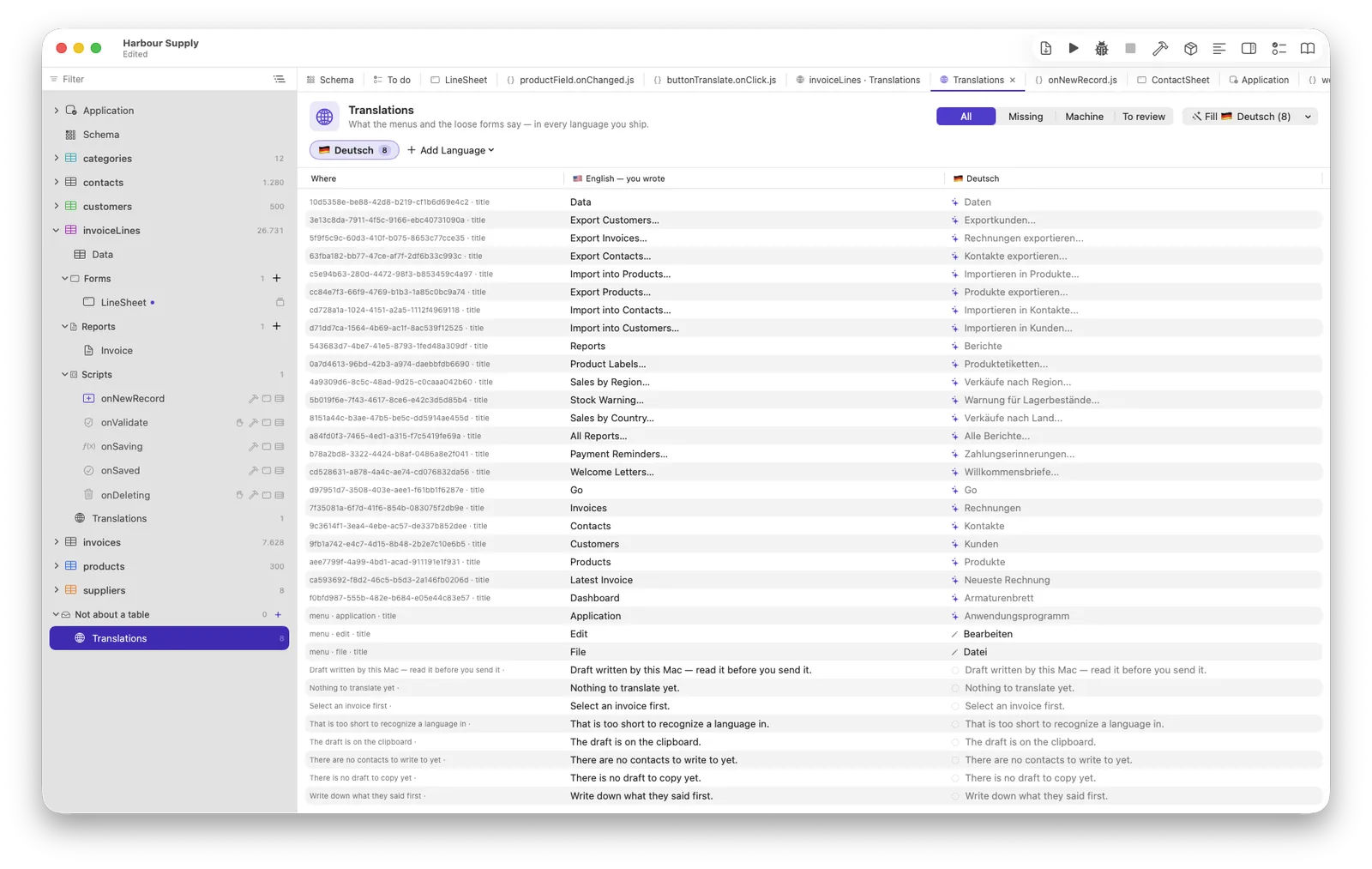
The string in the code is the base language — no invented key. The IDE finds every marked sentence and lists it under “Not about a table”. Use placeholders instead of concatenation: word order differs per language, and a translation that loses a placeholder is reported as an error before it ships.
Building and running
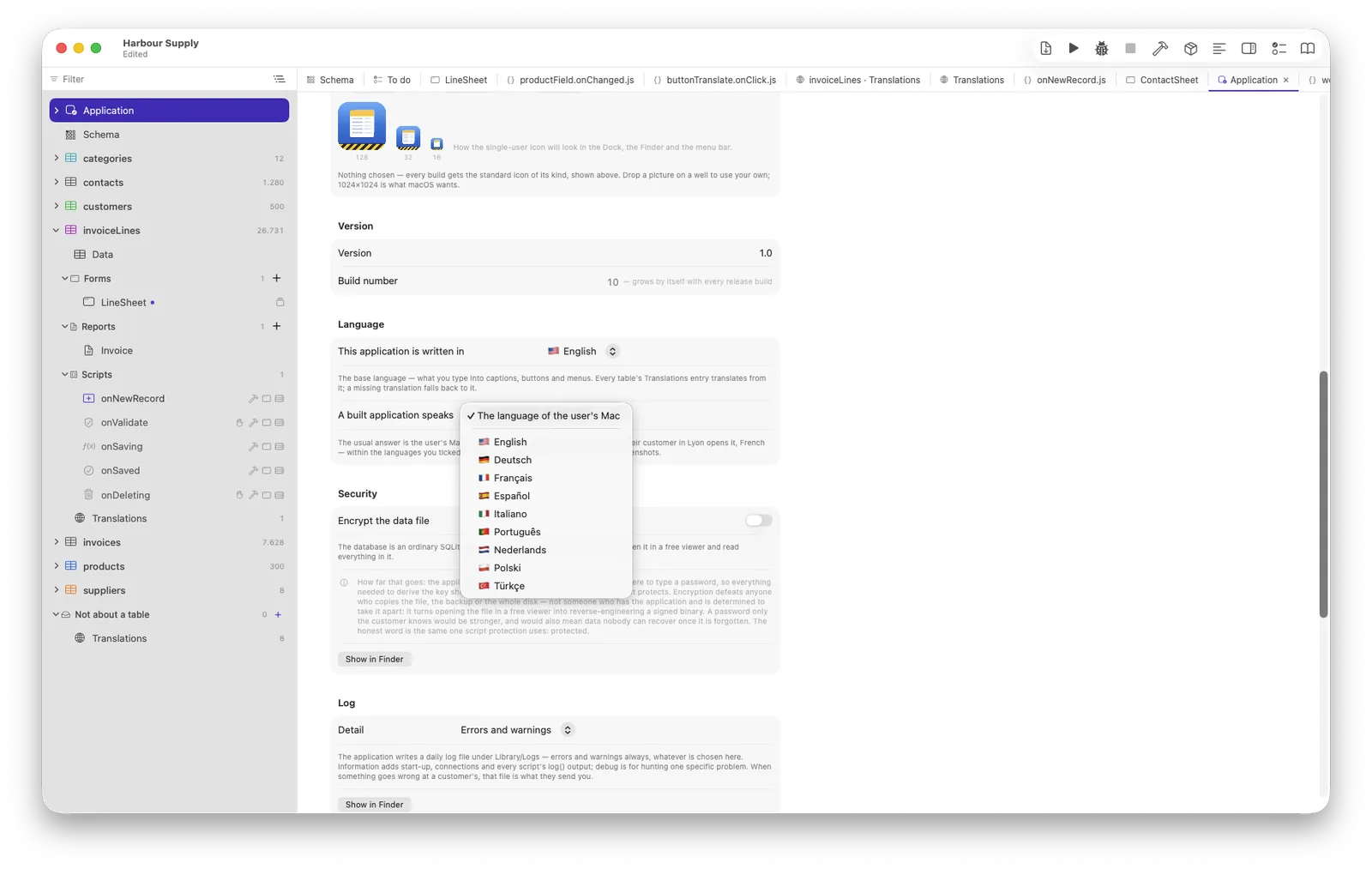
The build sheet has one checkbox per translated language; the footer says honestly what is missing (“12 of 480 entries — the base text shows there”). At run time the application follows the Mac in front of the user, within the languages you ticked, with the base language as the fallback. A missing translation shows the base text — never a blank, never a key. Neuridion's own windows — the backup window, the standard dialogs, every error message — speak nine languages out of the box and follow the same choice.
What is never translated
The customer's data. Records belong to the person who typed them, in the language they typed them in — translation is for your application's own words, nothing else.