 Manual
Manual · The book
Variables
What a window remembers between two events, and a session for as long as it runs.
The three scopes
Three scopes, three lifetimes, one word for each:
| Scope | Word | Lives |
|---|---|---|
| This script | let / const |
until the event returns |
| This window | form.variable.… |
while the window is open |
| This session | application.variable.… |
while the application runs |
A declared variable holds text, a number, yes/no, a date (its starting
value is written 2026-08-30, or the word today), a list
or an object — the shapes a starting value can be written down in.
Anything else, a record or a file, is simply assigned while the application
runs.
The middle one is what lets a window remember something between two of its own events — what was searched for, which rows are marked, which page is showing:
// InvoiceList · searchField.onChanged
form.variable.searched = form.searchField.value;

// InvoiceList · buttonFind.onClick — a different event, the same window
const found = database.invoices.where("number", "contains", form.variable.searched);
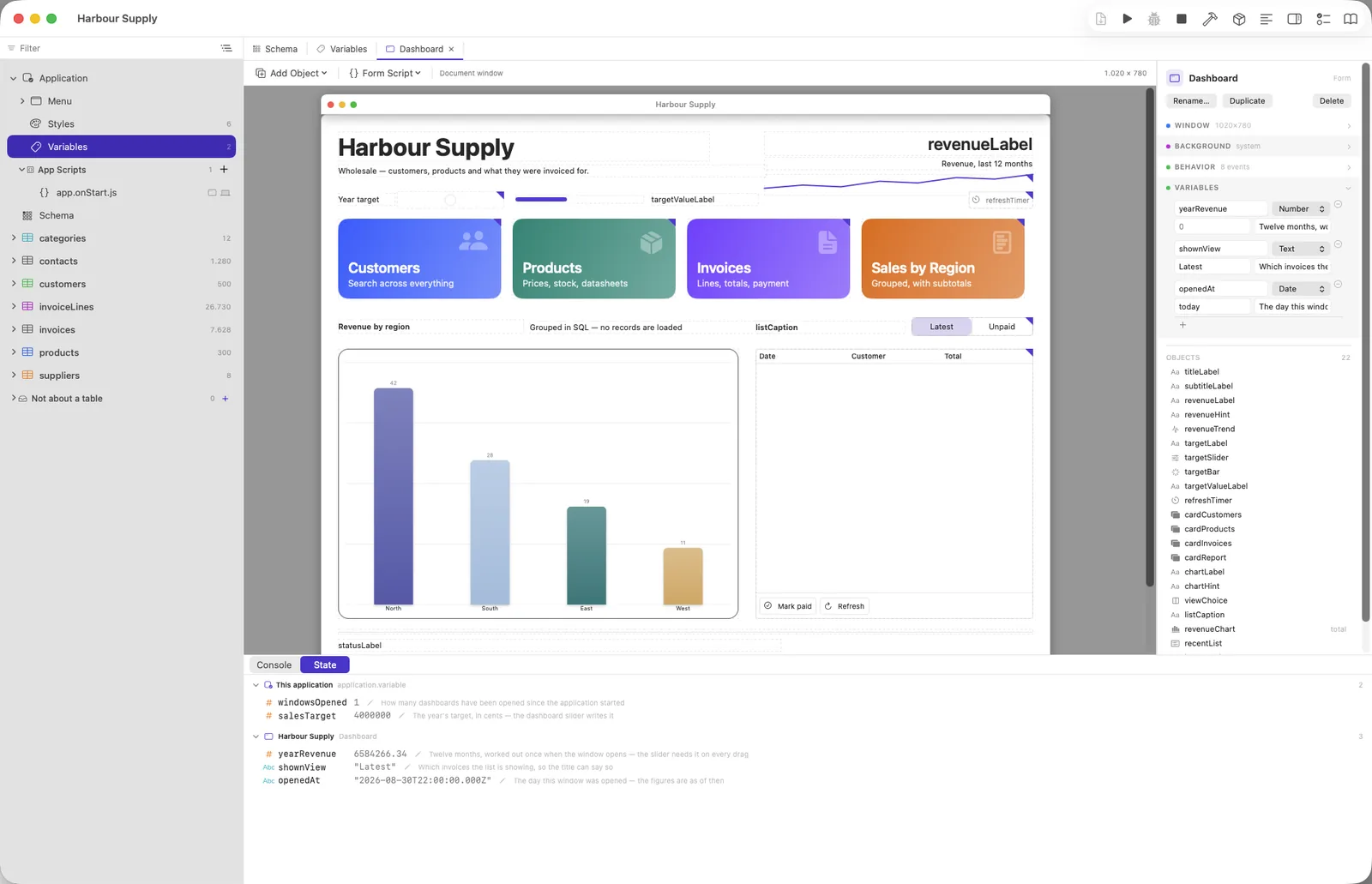
Two windows of the same form remember two different things. The variables belong to the window, not to the form: open a second Customers window and it starts with the declared values, searches for something else, and neither knows about the other. They are forgotten when the window closes, so reopening it starts clean — and the State tab lists them separately, numbered when two share a name.
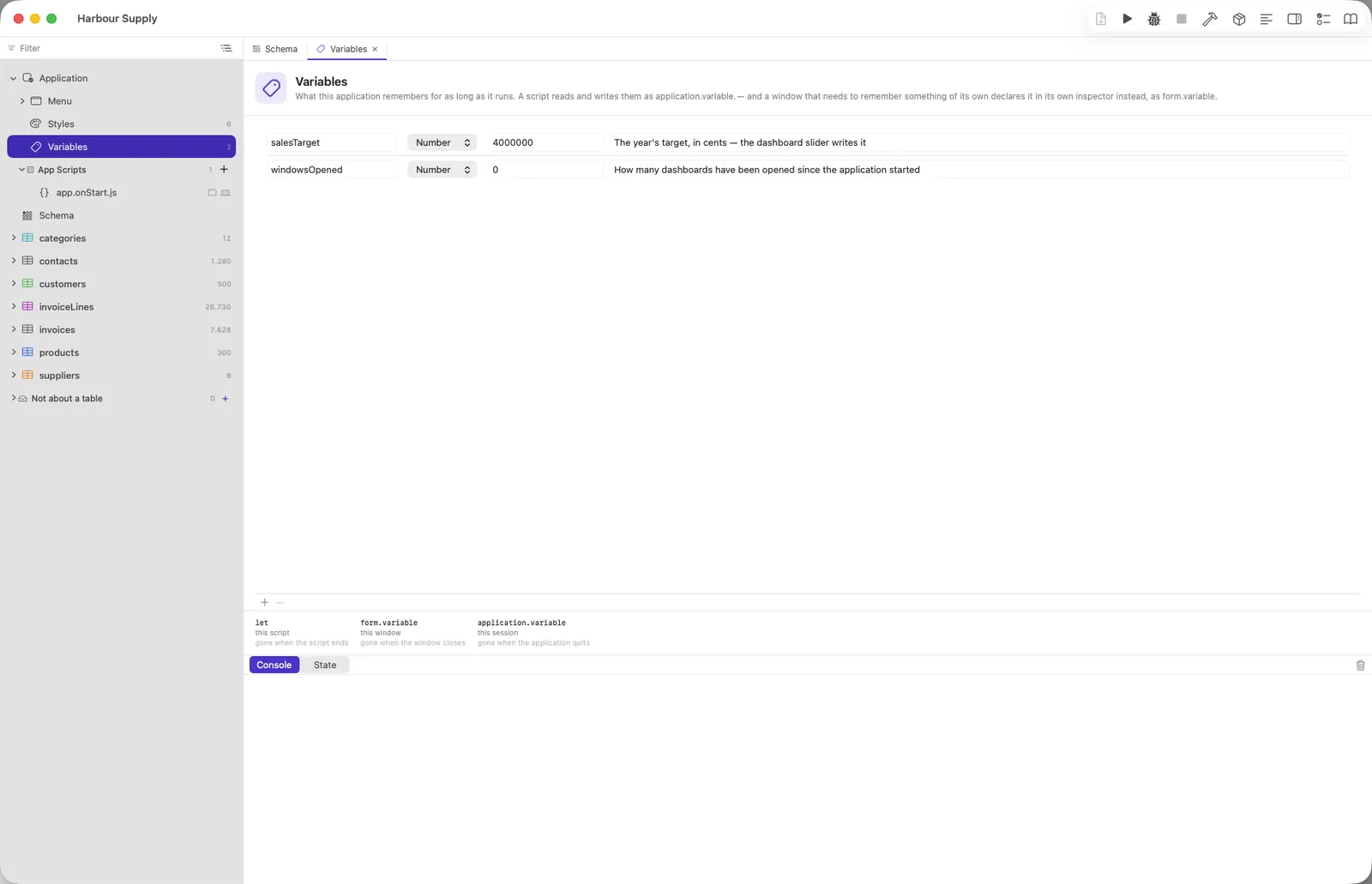
application.variable is the same idea for as long as the
application runs: who signed in, which branch was chosen. Shared
functions still belong at the top level of
app.onStart.js; that has not changed.
Declare them, and the editor helps
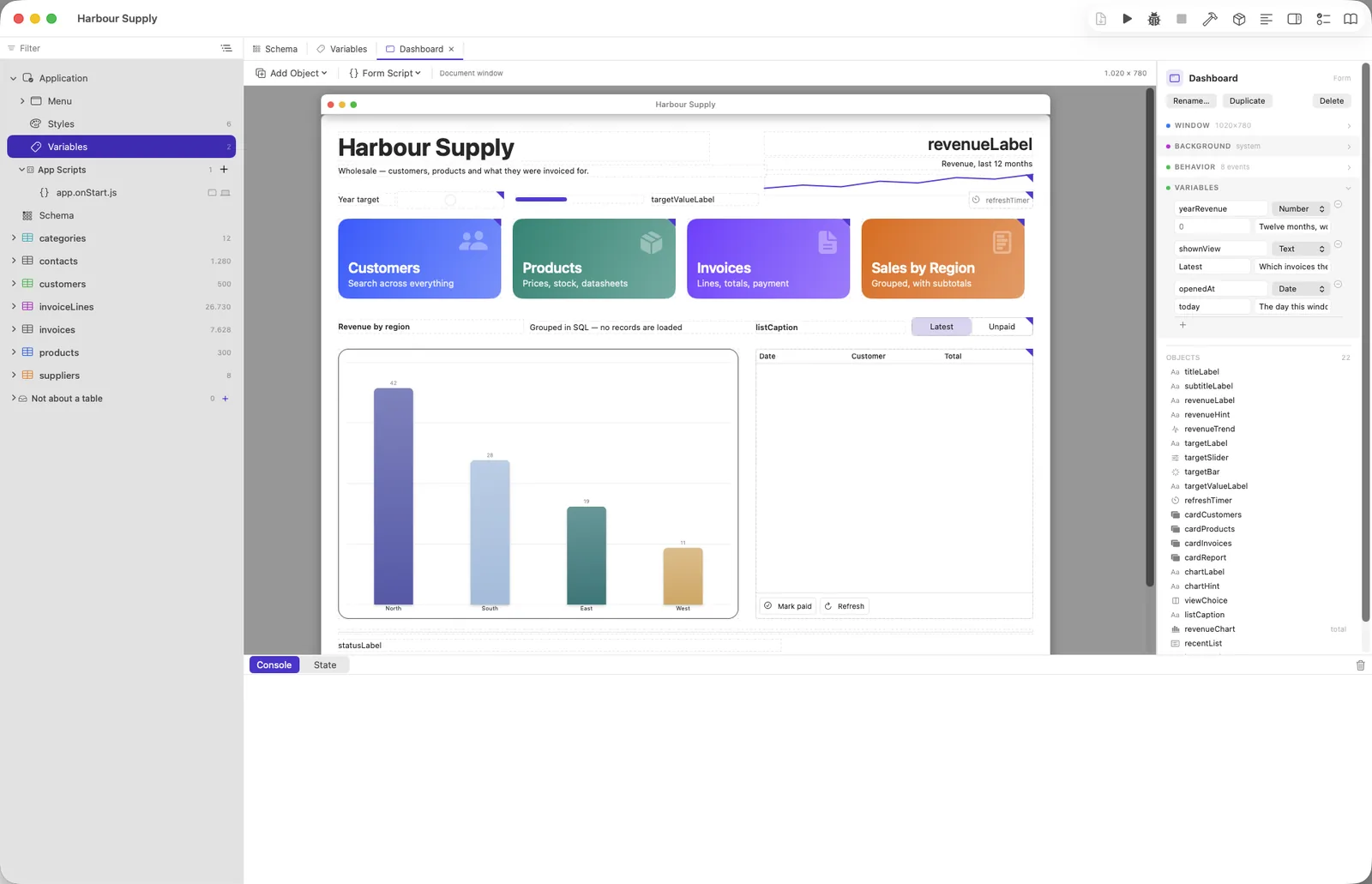
Both lists can be written down — a window's under Variables in its inspector, the session's under Application → Variables — with a name, a type, a starting value and a note. Declaring buys four things:
- Completion offers your names, with their type and note beside them — and hovering one in the editor shows the same card a field gets.
- A misspelt one is pointed out before anything runs, and so is a value of
plainly the wrong shape:
page = "twelve"on a Number. - The starting value is already there, so
onOpenhas nothing to initialise. - Renaming one rewrites the scripts — with certainty, because
form.variable.totalcan be nothing else.
Writing one that was never declared
It works. Both are ordinary objects, so
form.variable.whateverYouLike = 12 runs in any script, with nothing
written down anywhere. That is deliberate — it is JavaScript, and somebody who
wants to put a value down while working something out should be allowed to.
It is not the way we would recommend, and the reason is not tidiness. Here is what such a name does not get:
| Declared | Written straight into a script | |
|---|---|---|
| Completion | your name, its type, your note | nothing |
| A typo | pointed out before anything runs | silent — and it becomes a second variable |
| A value of the wrong shape | pointed out | silent |
| Starting value | there before your first line | undefined |
| Renaming | rewrites your scripts | nothing to rename — find them yourself |
| Reading the design | the window says what it remembers | only the scripts know |
The typo is the one that costs. Write
form.variable.searchd in one script and
form.variable.searched in the next and you have two variables, no
error, and a window that quietly forgets what you searched for. That is the fault
this editor exists to catch, and an undeclared name is the one place it cannot.
The rule of thumb. If you are reaching for form.variable at
all, some other event is going to read it — a value used inside one
script is a let. And "another event will read this" is exactly when
a declaration pays for itself. So: declare it once you mean to keep it; write it
straight in while you are still finding out what the window needs.
The checker is built around that. It says nothing at all about a window that declares none, and speaks only once you have written some down: "this window declares three, and that is not one of them — it will still work." A warning over every line of a perfectly good script teaches people to stop reading warnings.
A script that stops in the debugger shows both sets in its variables list, and the State tab beside the console shows them while the application is running — so what a window remembers can be looked at rather than guessed.
It is memory, not a transaction
If a script throws halfway through, what it had already put down stays
put. Nothing is rolled back — a variable is ordinary memory, exactly like a
local let, and only the database has transactions. So a
script that writes three variables and fails on the fourth leaves the first
three behind, and a window that must be all-or-nothing has to say so itself.
The same is true of application.variable, and it is worth
knowing before it surprises you rather than after.