 Manual
Manual · The book
Forms & windows
The canvas, the objects, styles, tabs — and the events between them.
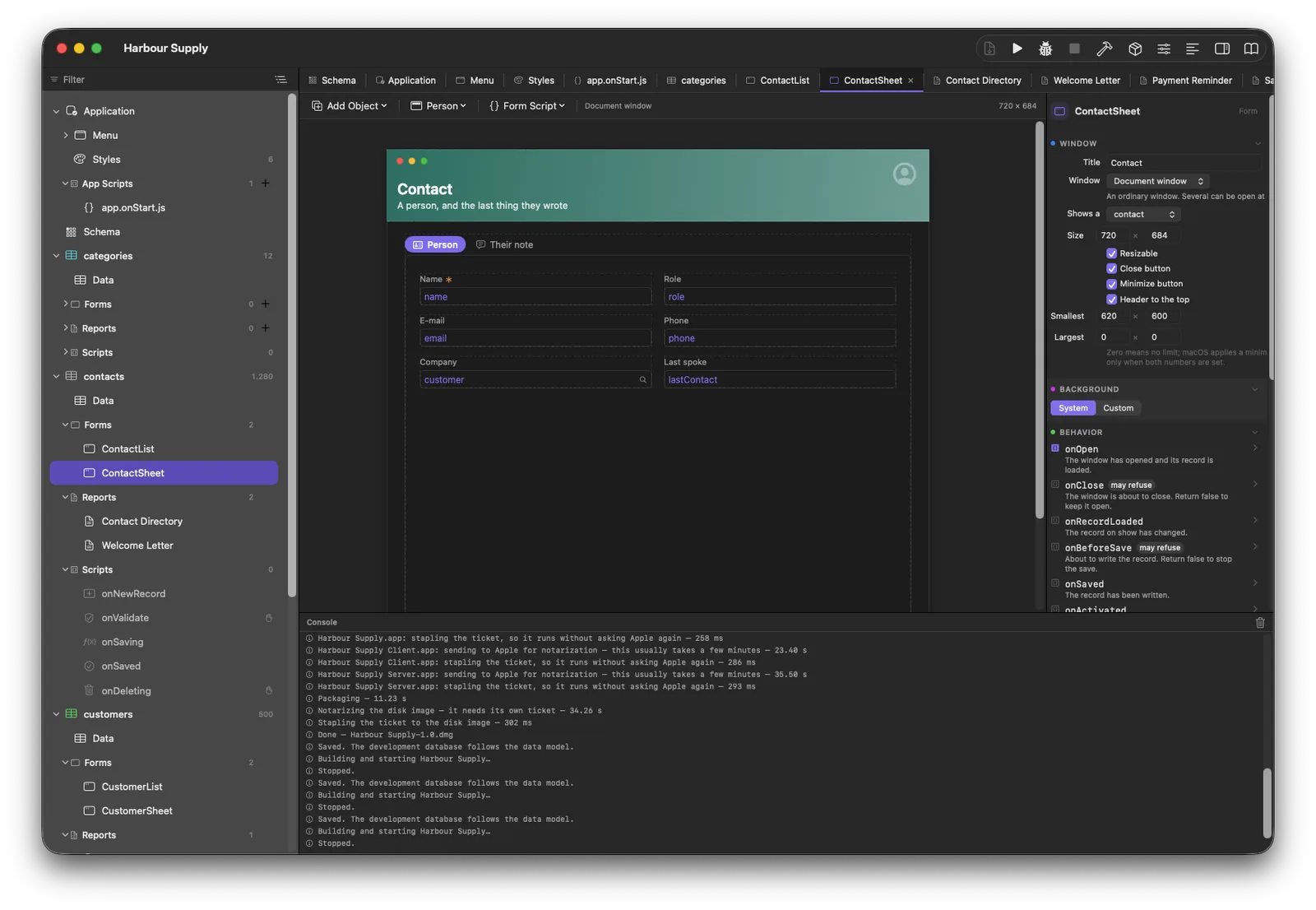
The canvas
A form is designed where it runs: drag objects from the palette, move and
resize them directly, align with the arrangement commands (alignment is
arithmetic, so it is exact). Every object has a name — that name is
how scripts reach it (form.nameField) — and a caption, which
belongs to the object itself: a captioned field is simply a taller field,
never two objects. The full catalog is in
The form objects.
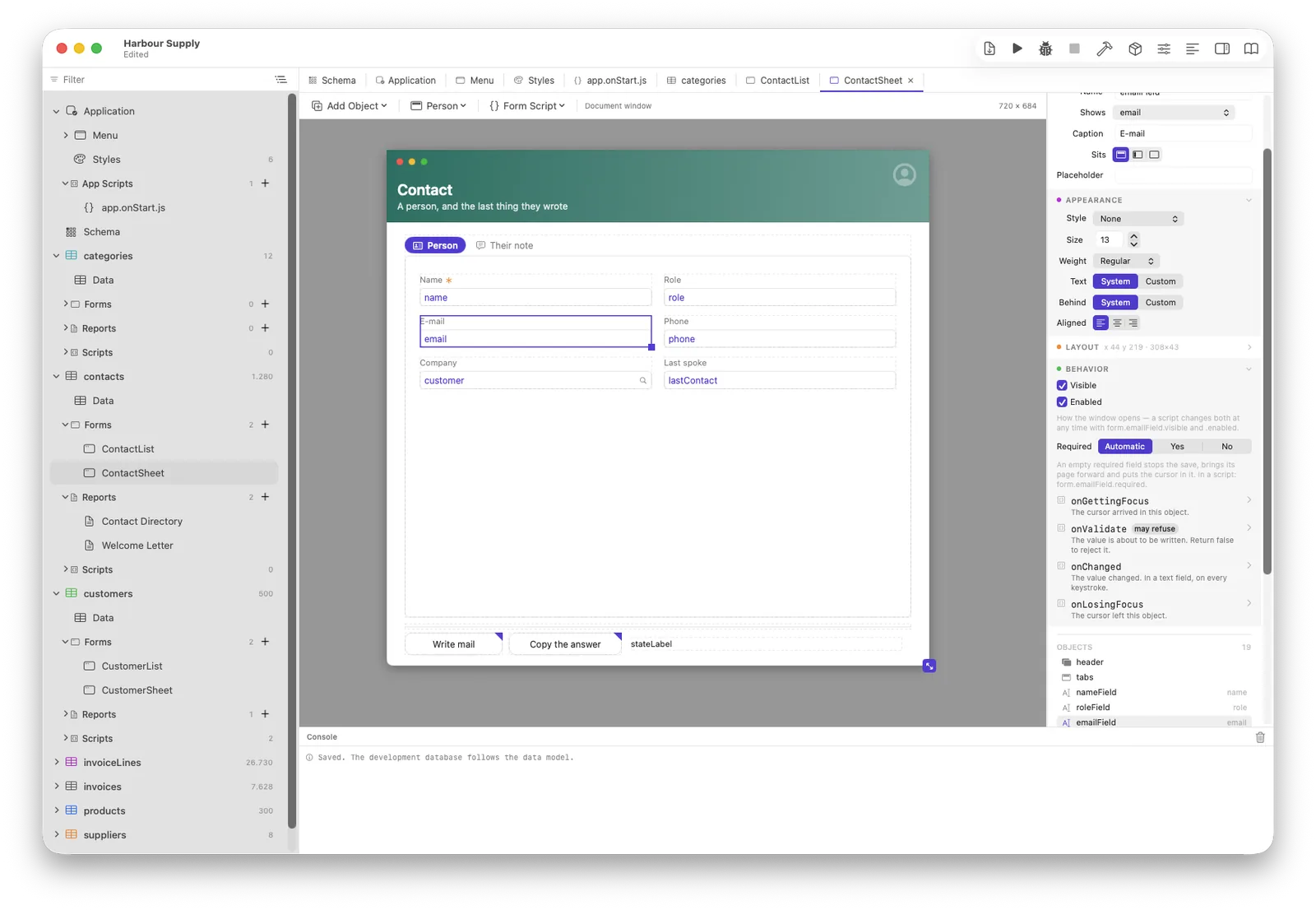
Styles
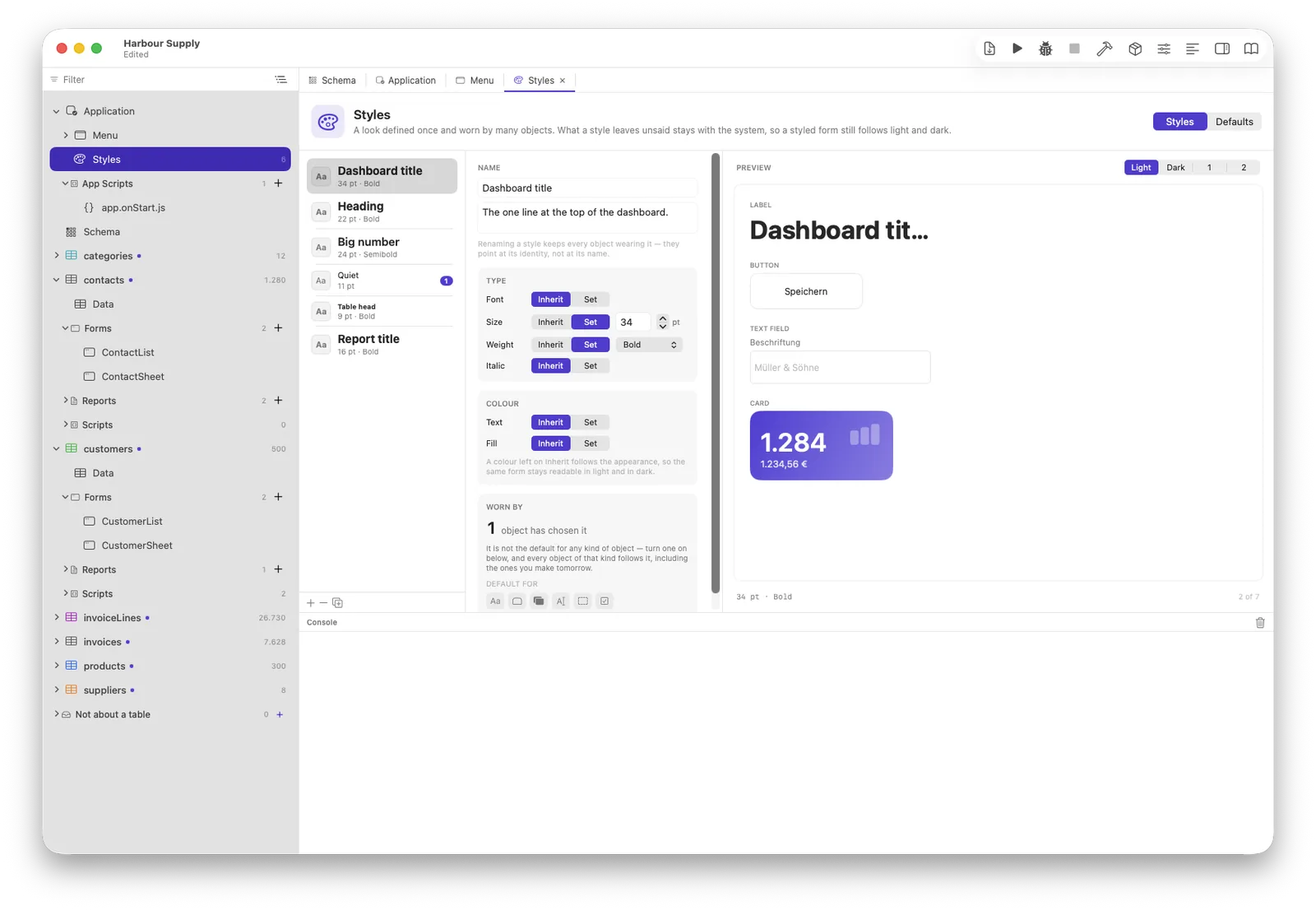
A style is the base, the object is the exception: an object looks like
its style, the style falls back to the kind's default, and changing a named
style restyles every object wearing it. At run time a script may override
even the object (form.header.style = …) — that wins over
everything, until the window closes.
Bindings, and why there is no Save button
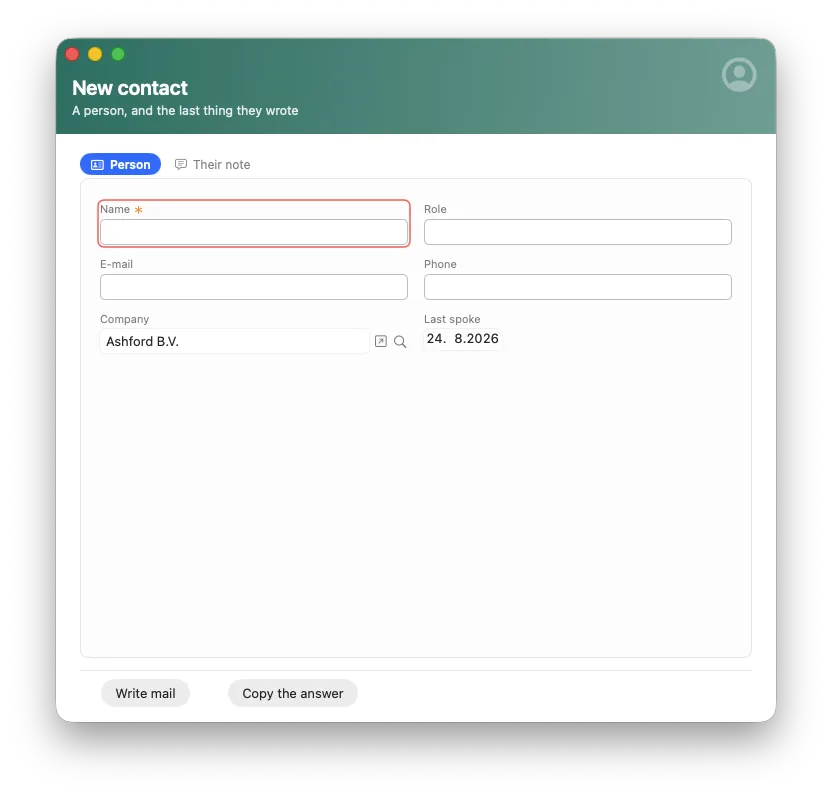
An object bound to a field is that field on screen. Leaving the field writes it — Model A: nothing is saved, because everything already is. Closing a window asks only when a record cannot be written; a form with required fields insists and then points — every missing field marked, the first one given the cursor, a popover saying what is wanted.
Windows and their kinds
A form opens as a document window or as a modal sheet
(forms.open with { modal: true } waits for
form.close(result)). One window can browse many records with
form.load(record). A window coming back to the front re-reads
what it shows if anything was written meanwhile — a list never shows stale
rows because a sheet above it saved.
Tabs and the Tab key
Pages of a tab strip own their objects by name — membership is stated, not derived from geometry. The Tab key follows the reading order you set, because a guessed order is right until the day it is not.
Events
Every object can carry scripts for its events — onClick,
onChanged, onValidate, the list's row events — and
the form itself has onOpen, onClose,
onActivated and friends. Every event opens with a worked
example as a comment, so an empty script is never an empty page. Events run
one turn after the click, so the window has settled when your code runs; the
few that may veto (closing, validating) are deliberately on the other side
of that line. Details in Scripts &
events.