 Manual
Manual · The book
Scripts & events
Where code runs, what each event means, and what a script may touch.
Where code lives
Three homes, and the file decides what a script may touch:
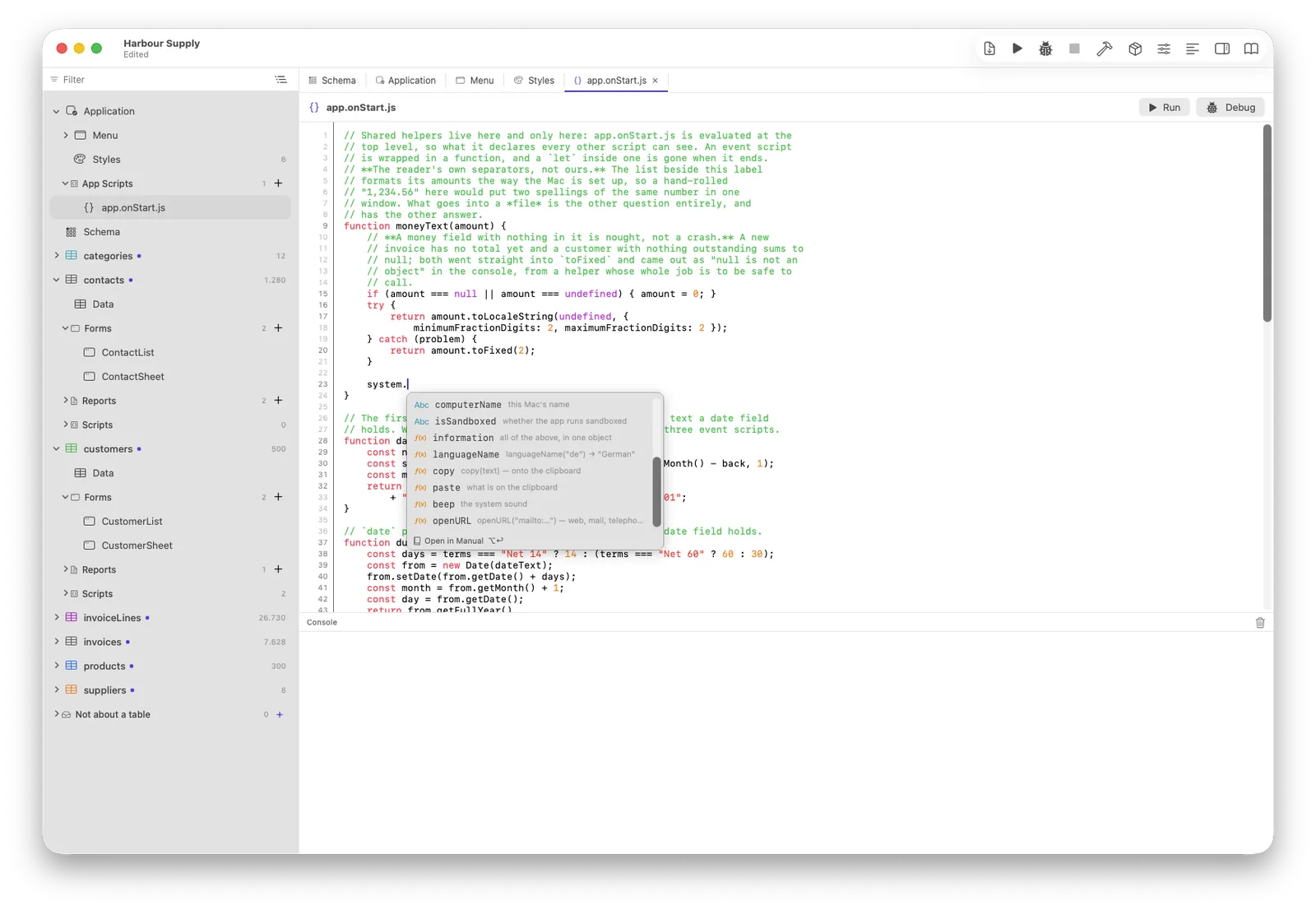
app.onStart.js— evaluated at the top level when the application starts. The only home of shared functions: a helper defined here is callable from every other script.- Form and object events —
form.onOpen.js,buttonPrint.onClick.js. These seeformandevent; each is wrapped in a function, so its variables are its own. - Table events —
tables/invoices/onValidate.js,onSaving,onDeleting,onNewRecord. These seerecordand run wherever the write comes from: a form, a script, an import, the data browser — and on a Client/Server pair they run on the server. A rule only some writers obey is not a rule. app.onDatabaseMigration.js— runs once when the data was brought to a newer data model, on the machine that owns the data: the single-user application, the server, the IDE's own development database — never a client.event.fromVersionandevent.toVersionbracket the jump, so each fix guards itself with a version number. A transaction is already running around the whole script; athrowrolls the entire update back, and the next start tries again from the samefromVersion.
Variables
What a window remembers between two of its own events, and what a session remembers for as long as it runs, has a chapter of its own: Variables — the three scopes, what declaring one buys you, and what happens if you never declare it.
The event object
event says what just happened: the proposed value in
onValidate (refuse with event.refuse("why")), the
edited column and previous value in onCellChanged, the failing
script and line in app.onError. Its exact fields are listed
with each event's starter comment.
Timing
Everything is synchronous: a call has its answer on the next line —
no promises, no callbacks, no await. Events fire one turn after
the click, so the window has settled; the few that may veto (validating,
closing) run before their act, which is the point of a veto.
Errors
An unhandled error shows a dialog naming the script and line — and lands
in the application's log with the same address.
app.onError.js gets the first look: return false
and the dialog stays away — an application that logs and carries on and one
that wants the dialog are both a line of code away.
The editor knows your schema
Completion offers your tables, fields and forms; misspelt names are
underlined before anything runs; ⌘-click jumps to a definition; and the
.all() warning speaks only when the table is measured
large. Everything the editor believes comes from the schema — which is why
it is never out of date.