The code editor
Most mistakes are caught before anything runs.
You write JavaScript here, and only here — a few lines on a button, a rule
on a table. What makes that pleasant is not the colouring. It is that the editor has
your data model in front of it and your database open, so it can tell you
that customre is not a table, that this query would read a hundred thousand
rows, and that this comparison can never be true — while you are typing, not when a
customer phones.
It knows your data model
Every table, every field, every relationship, every object on the window you are standing in. That is the difference between an editor that colours words and one that reads them.
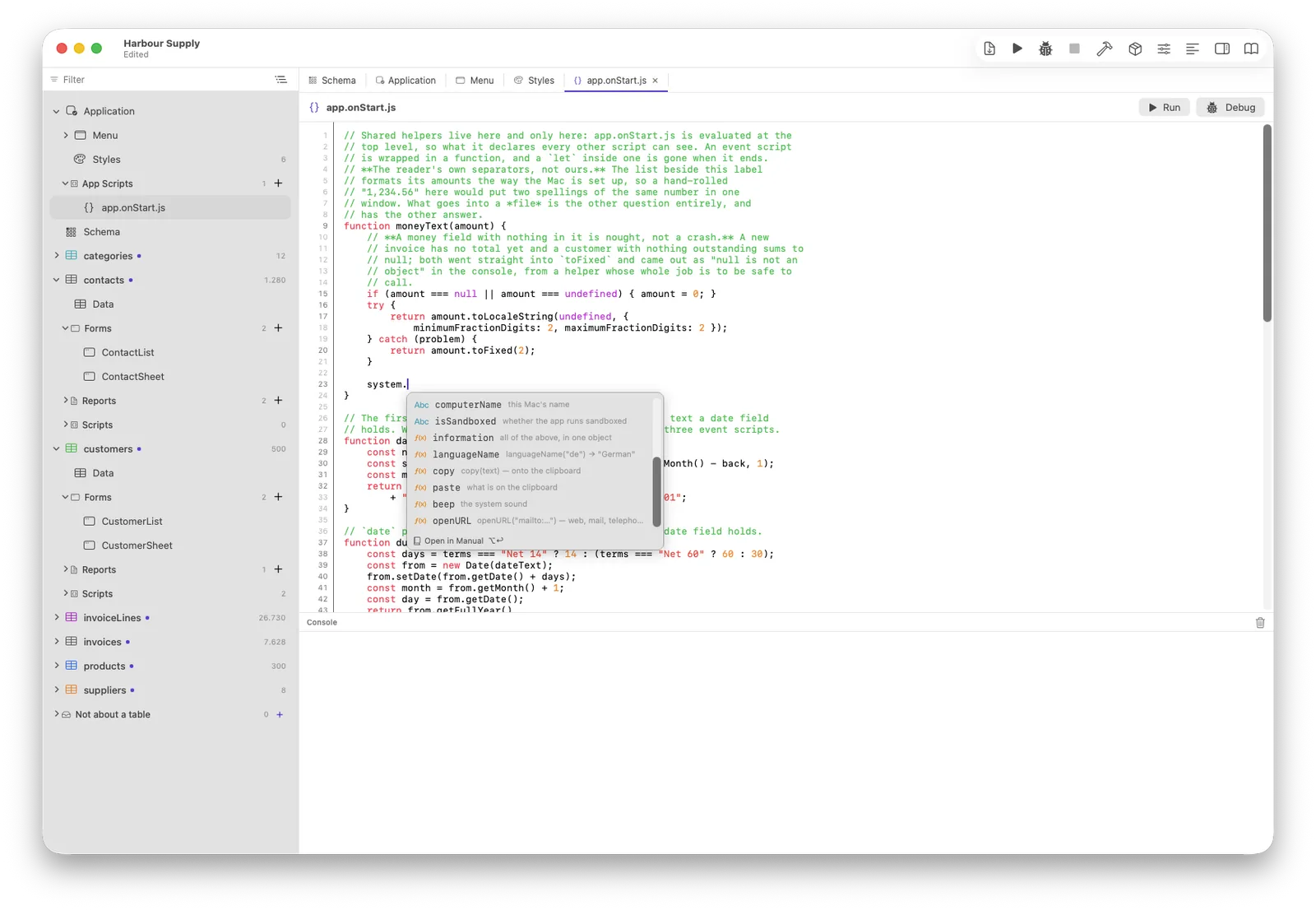
Type database. and your tables are offered; type a table and its fields
are. A chain is read as steps, so invoices.where(…). knows what it is
holding. It is our own window rather than the system's, which is why it can show what
a command does and what it gives back.
Click the book in the completion list, or press ⌥↩, and the bundled manual opens at exactly that command — not at its front page. The anchor comes from the manual's own naming, so the two cannot drift apart.
A table name, a field, an object on the window: hold ⌘ and click, and you are there. The editor knows what the word is, so it knows where it lives.
A rule on a table has a record; a button on a window has a
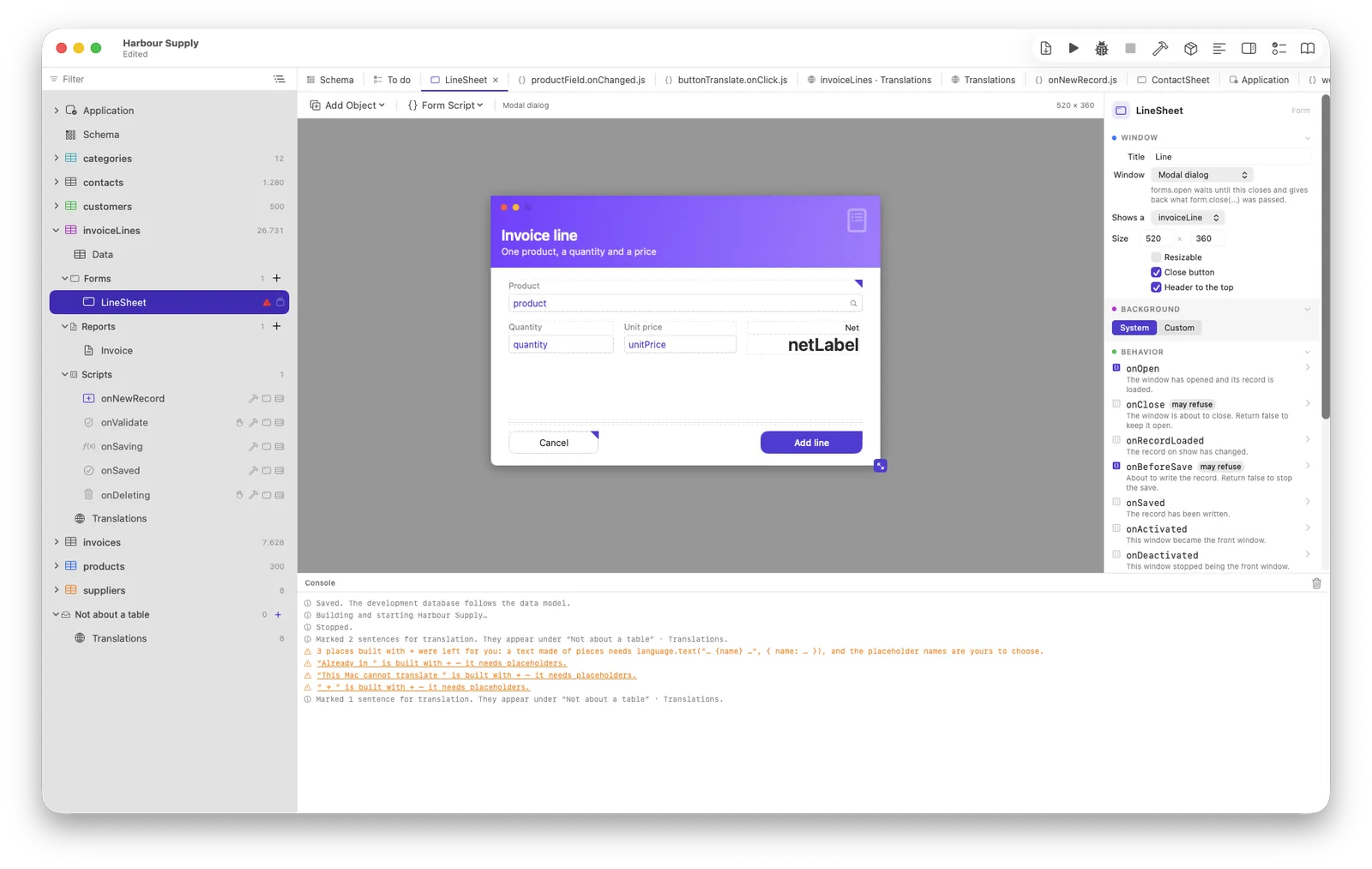
form. Writing the one in the other's script is underlined, because the
editor knows which file you are in and what that file is allowed to do.
A misspelt name never reaches your customer
The commonest mistake in a database script is a name that is one letter wrong. It compiles, it runs, and it does nothing — and in a language without types, nothing catches it.
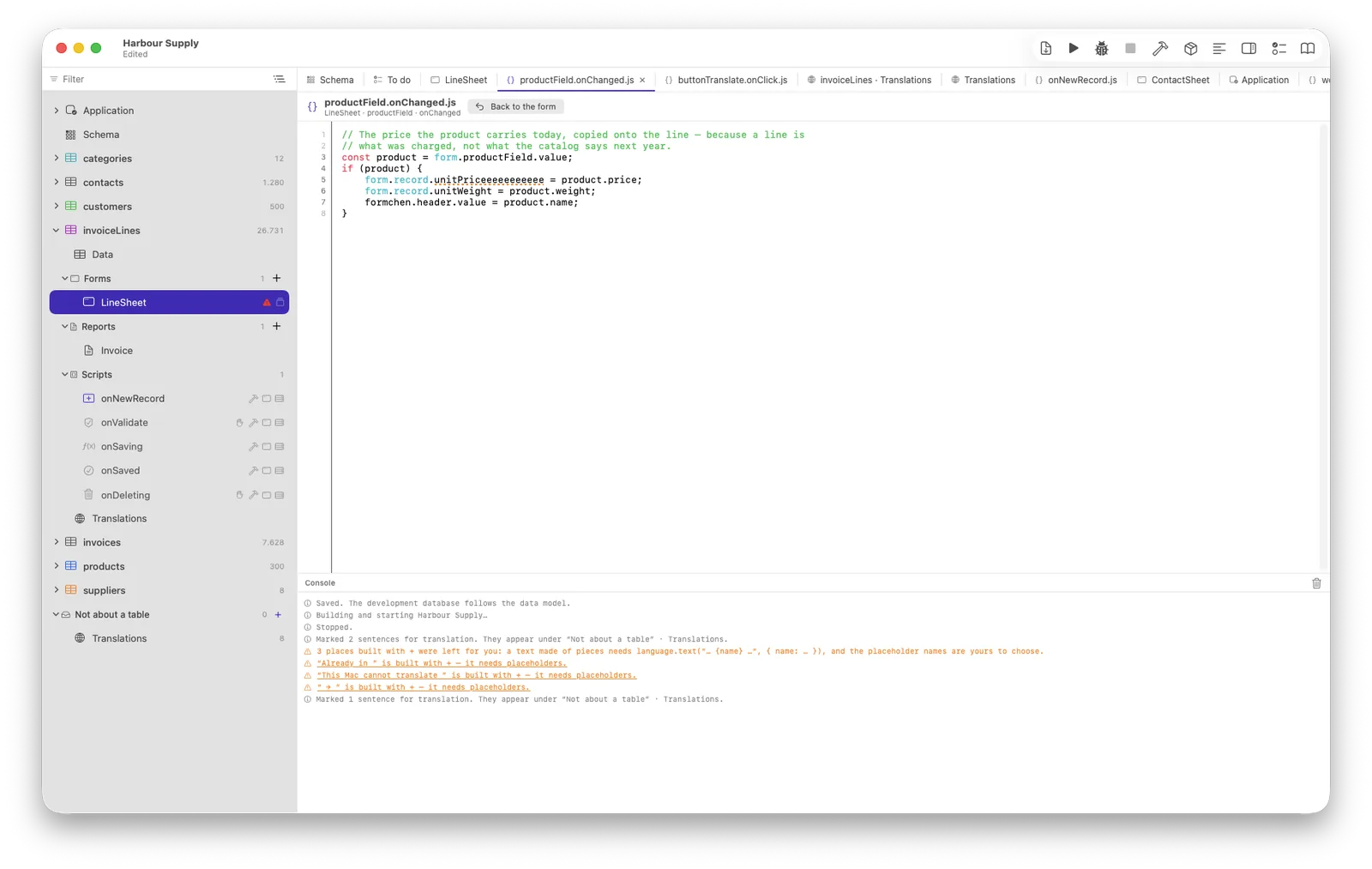
Writing to a field that does not exist used to be accepted without a word: the value went into an ordinary JavaScript property and was saved nowhere. A crash is noticed the same afternoon; that is noticed in three months, by somebody asking why a column is empty. It is refused now — and underlined long before it could happen.
File and line, in the console, as a button that opens the script there. The alternative is hunting through tabs, and a warning that costs a hunt is ignored the third time.
Fix the name and the underline is gone; the triangle in the sidebar goes with it. That sounds obvious and was not: the mark used to survive every edit until the script happened to run again, so a repaired fault looked exactly like an unrepaired one.
Two warnings that had to earn their place
A checker that underlines correct code is a checker nobody reads twice. Both of these were built, taken out again, and rebuilt on a stricter rule: say nothing unless you have measured.
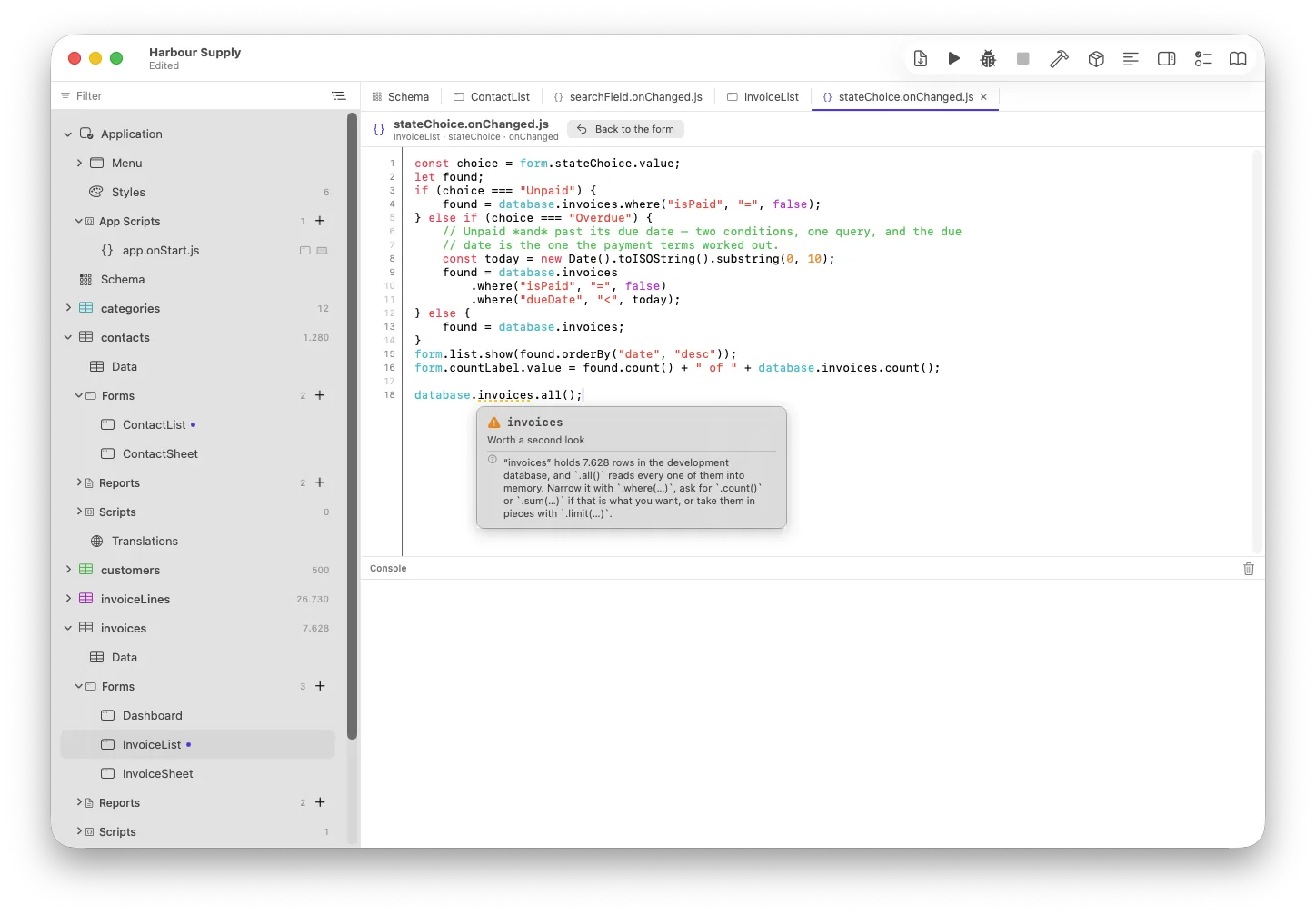
.all() on a table the editor has counted — and the three
.where(…) calls higher up the same script are left alone, because somebody
has already thought about those.“This loads everything.” The first version of
this warning lasted four hours. It fired at every .all(), hit nine places in
our own example project — and every one of them was right: two hundred customers are
loaded whole precisely so that twenty-six thousand invoice lines are not. From the source
alone, “read 200” and “read 200,000” are the same three words. It
speaks now only when it has counted, above five thousand rows, with the real number in the
message — and it recommends only what a selection really offers. An earlier draft of
that very sentence suggested a command Neuridion has never had.
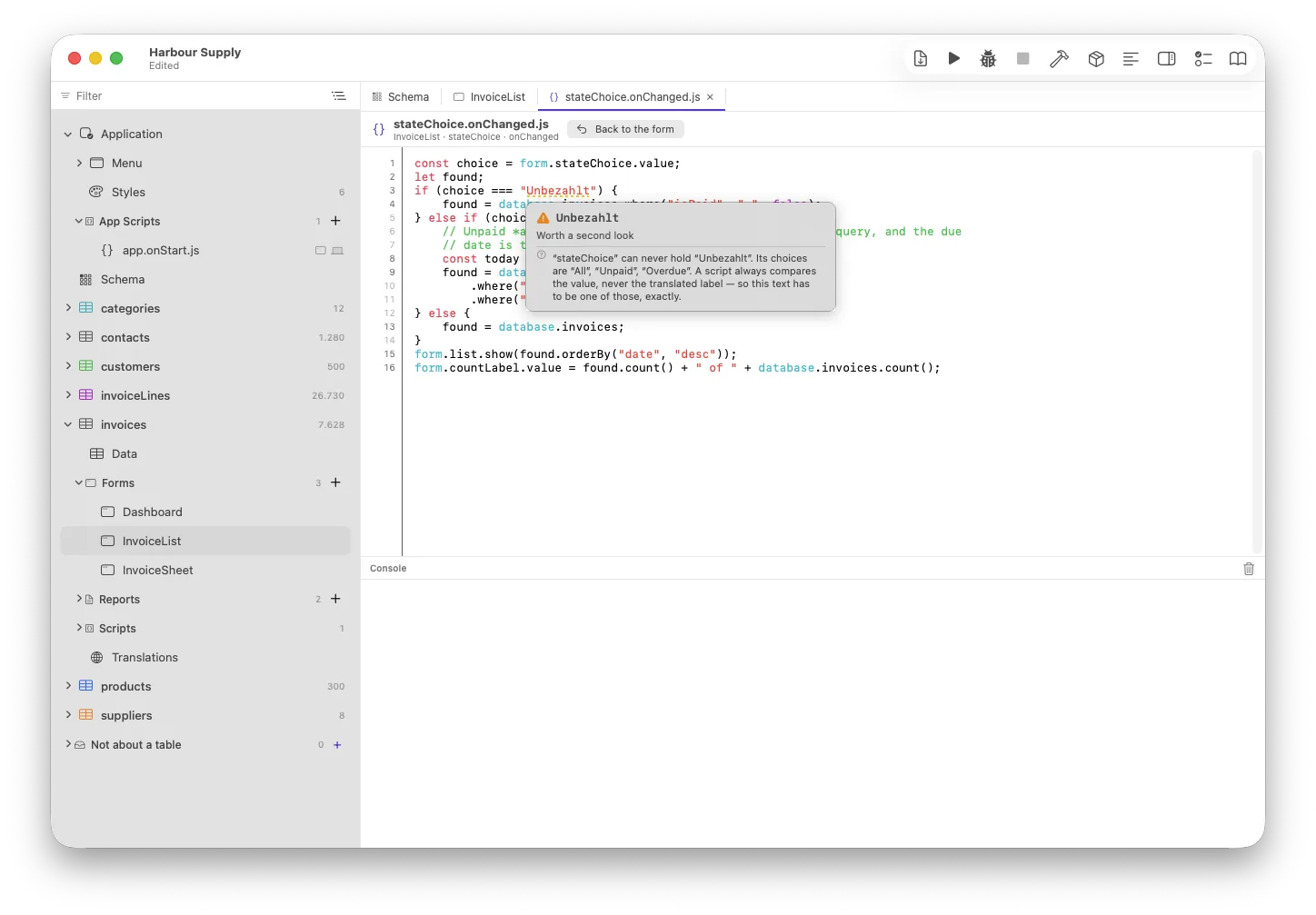
switch as well.“That switch can never hold this.” A choice in
a segmented control is two things at once: the word a person reads and the value a script
compares. Translating your application moves the first and never the second, so
if (choice === "Unpaid") keeps working in every language. The developer of
Neuridion asked whether that was really true and was about to write the translation into
the comparison to be safe — which would have broken it in exactly the way he feared.
The rule was right; nothing checked it. Now the editor names the three values the switch
can actually hold.
Three places a value can live
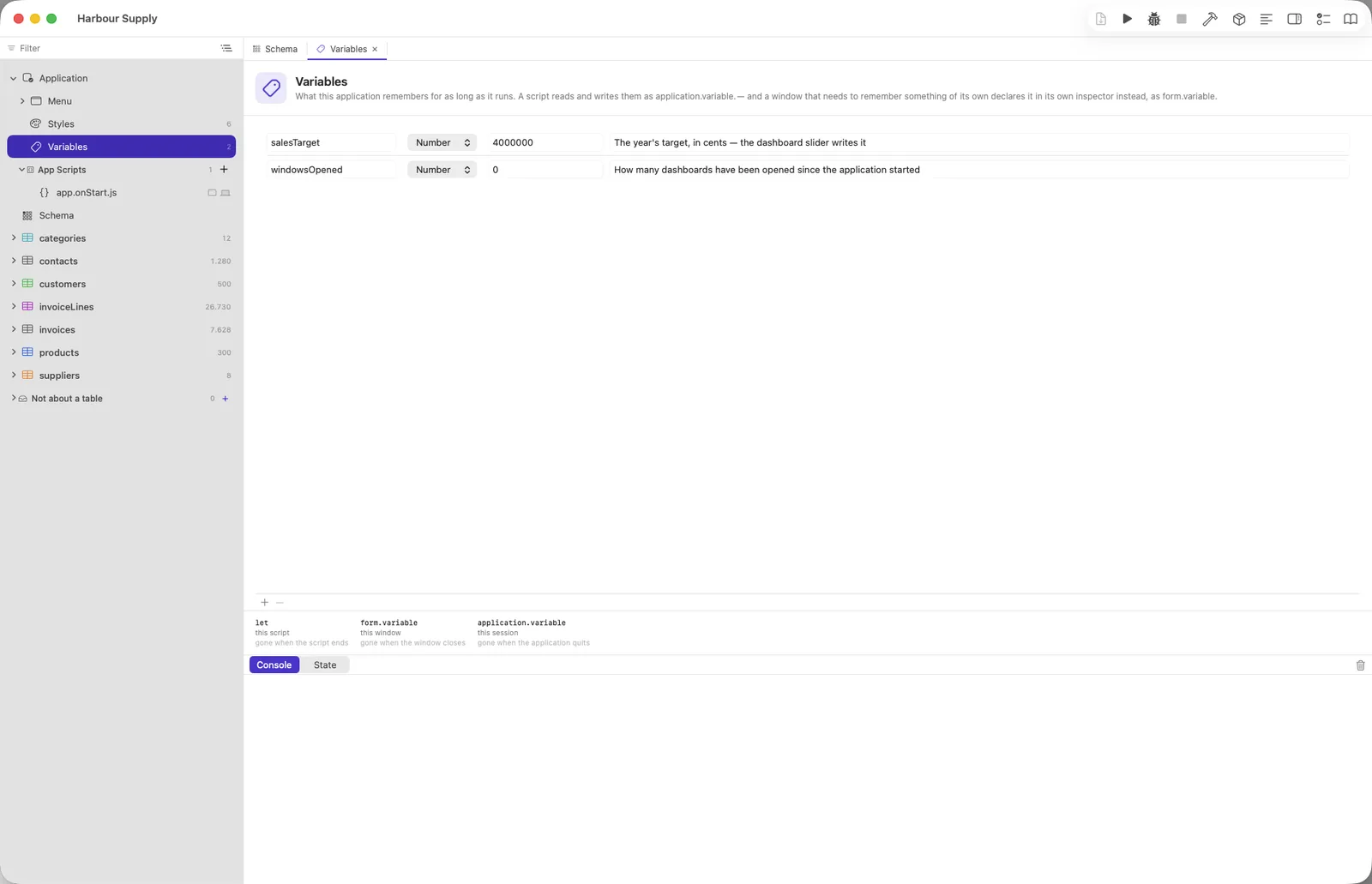
A script has its own let. A window has
form.variable — what it remembers between two of its own events, gone
when it closes. The application has application.variable, for as long as it
runs. Two windows of one form remember two different things.
The interesting half is that you declare them: a name, a
type, a starting value and a sentence saying what it is for — in the form’s
inspector, or under Application. Then the editor can do what it does with a field.
Completion offers your names with their type and your note beside them. A misspelt one is
pointed out, and so is page = “twelve” on something declared a
number. The starting value is there before your first line runs. Renaming one rewrites
the scripts, with certainty rather than a list of places to look — because
form.variable.total can be nothing else.
And declaring buys help, not permission. A name you never declared still works; it simply gets none of that. It is JavaScript, and somebody who wants to put a value down quickly should be allowed to.
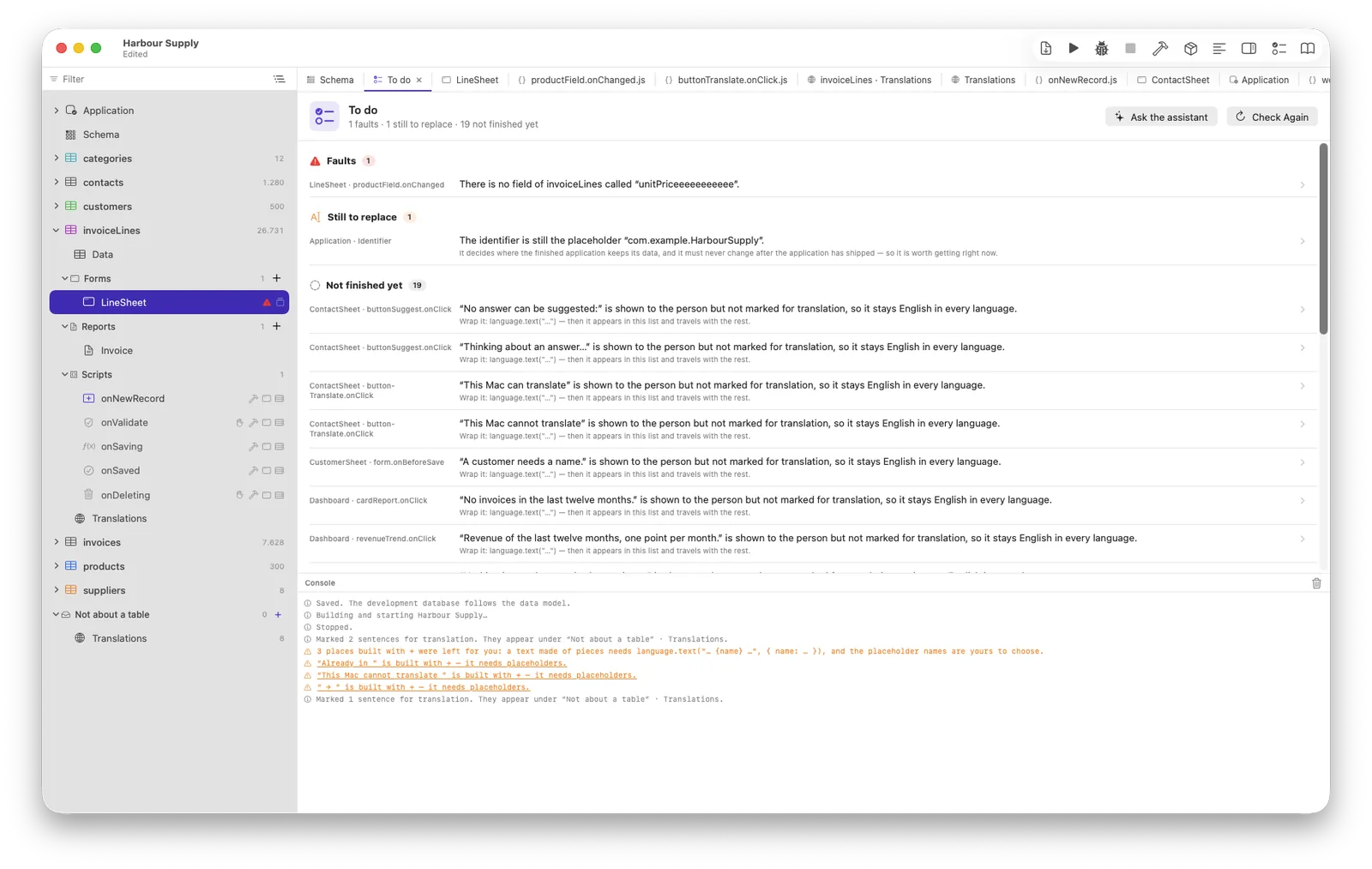
Everything still to do, in one list
Findings are worth nothing where nobody looks for them. The checklist in the toolbar gathers what every checker knows — faults, things still to replace, things unfinished — sorted so the first row is the one that matters.
What the editor can see without running anything, and the last crash. Both on windows, application scripts and table rules alike, with the file and line under the pointer. A crash is forgotten the moment its script is edited.
In a project with more than one language, a message your script shows without marking it for translation stays in the base language in every build. Nothing said so until this list did.
Right-click, Mark Sentences for Translation, and every literal at a place a
person reads is wrapped — one edit, one undo. A sentence built with +
is handed back instead, because the placeholder names are yours to choose.
And when reading is not enough, there is a debugger
Breakpoints with conditions and hit counts, Step Over and Step Out, values you can open, a post-mortem after a throw — and the query log, which is the thing that makes a loop reading one record at a time visible at all.
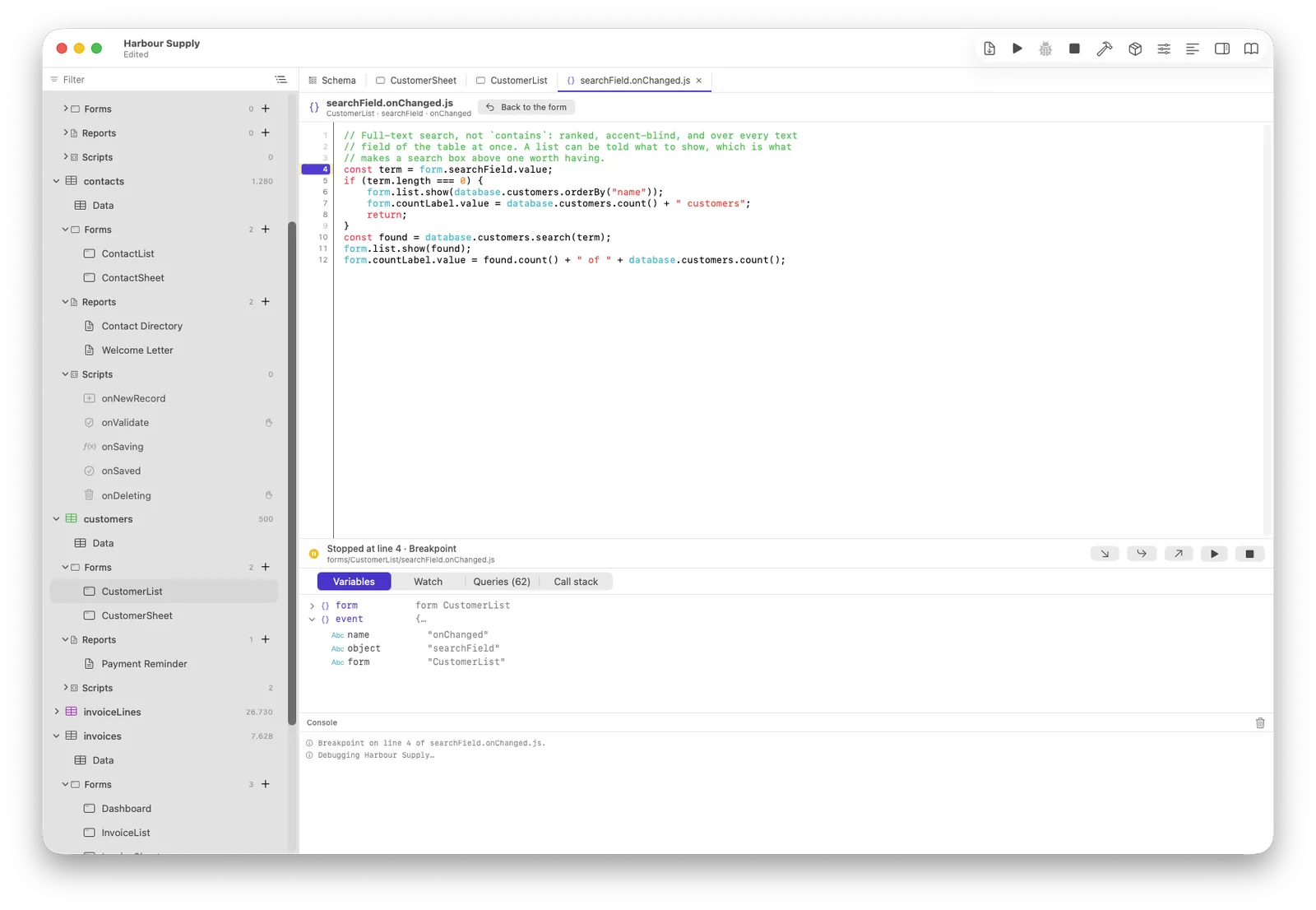
pause() left in a script
would stop somebody else's application dead, so it is not a warning — the build
does not finish until it is gone.
Carry on.
Four steps from an empty project to an application, and you write code in exactly one of them.
Every command, with a worked example — the same manual the editor opens at the word under your cursor.
Why these checkers are the shape they are, including the two that were removed again the day they were built.