What's in it
Everything a business application needs — and the parts nobody advertises.
Twenty-six kinds of form object, reports in bands, a debugger you would actually use. Nothing on this page is planned or coming: it is what the IDE does today, free, on the Mac in front of you.
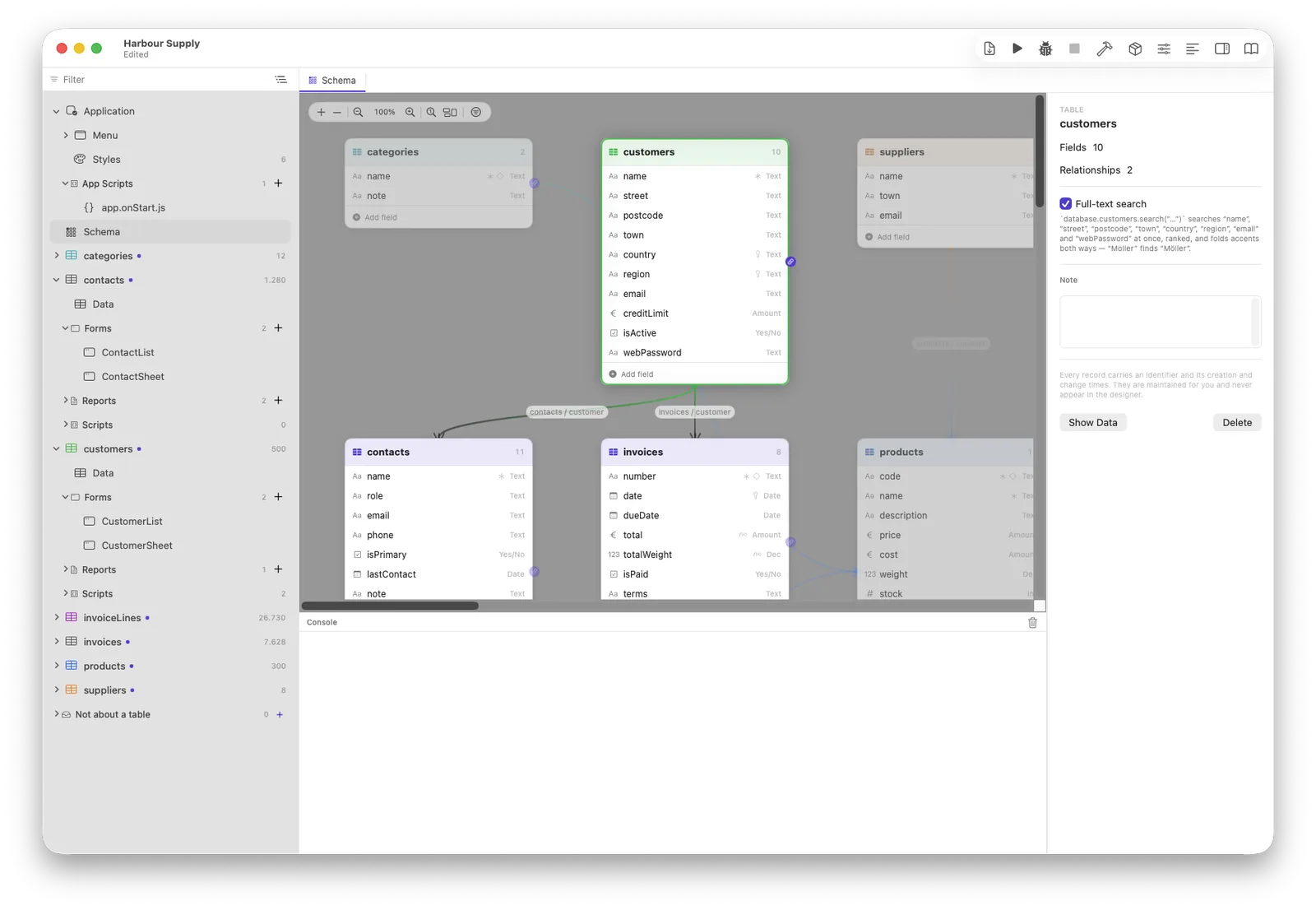
Draw tables, drag relationships
One canvas, one truth. A relationship is a line you drag; a delete rule is a popup on
it. From then on kunde.rechnungen exists in every script, every list and
every report — and it stays a query until somebody treats it as a list, so
counting four thousand invoices does not load four thousand records.
Change your mind later and the customer's database is migrated on the next update. Tables and columns are matched by identity, not by name, so renaming a field is a rename — not “the old one vanished and an empty one appeared”.
The window assistant asks the three questions that matter
“Make me a form for this table” is easy and usually wrong: right for a table of eight
fields, useless for one of forty, where half of it is importedAt and
legacyKey. So the assistant asks which fields, in what order, and
grouped how — one draggable list, headings you can insert, and a live preview
drawn by the same builder that will make the real thing.
Groups become frames or tab pages, and you decide which — with the height quoted in the footer, so “1,180 points tall, taller than most laptop screens” is something you read rather than something you discover.
The list it makes arrives working: search box wired, count following, and Add · Duplicate · Remove that open the right form and set the relationship.
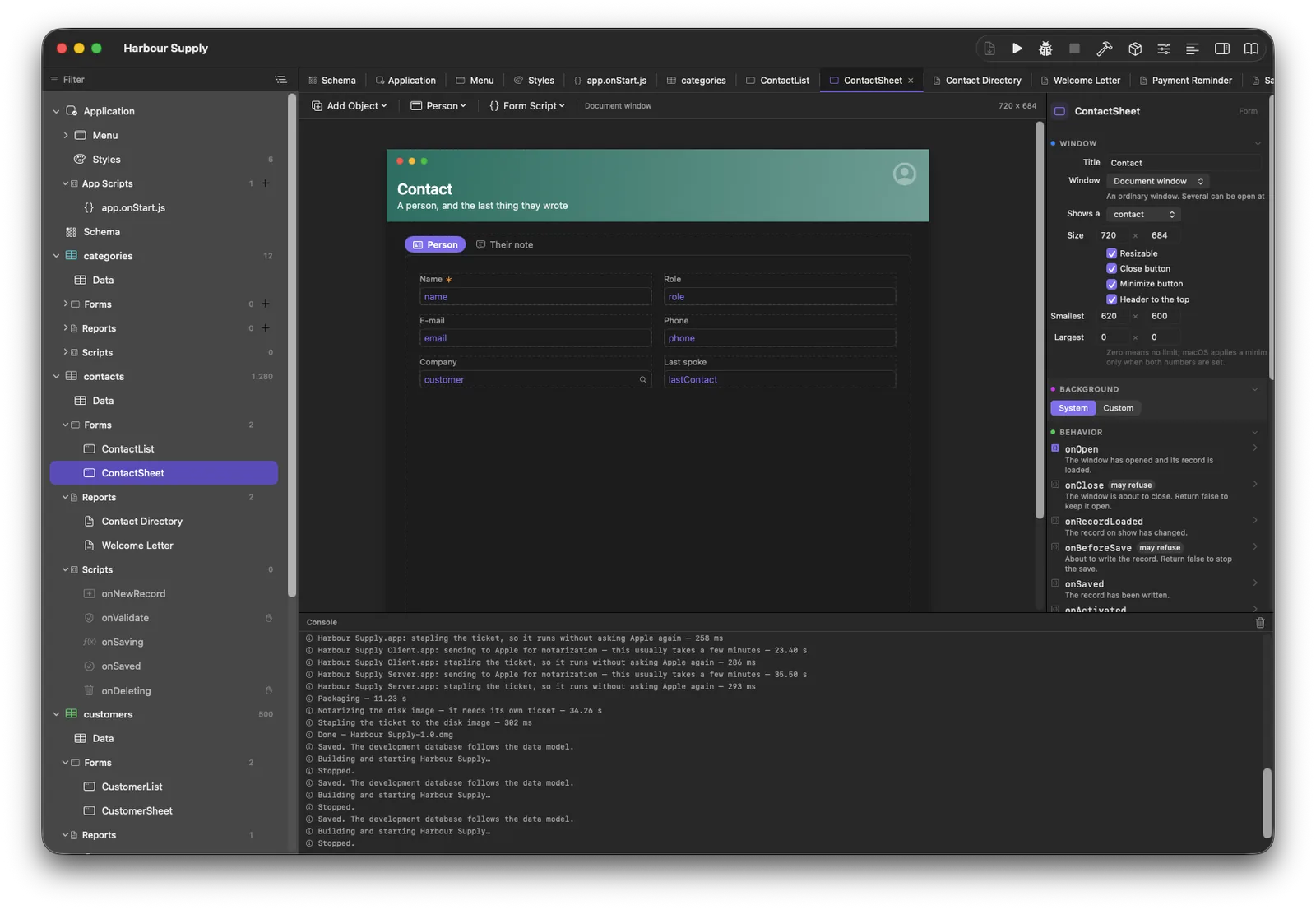
The list designer, and a list that behaves like a Mac list
Pick the columns, drag them into order, set widths and alignment, and choose what the footer under each column adds up — sum, count, average, smallest, largest. The answer comes from the database over the whole set, not from the rows that happen to be on screen: fifteen hundred rows of ten total 15,000 even when you can only see twenty of them.
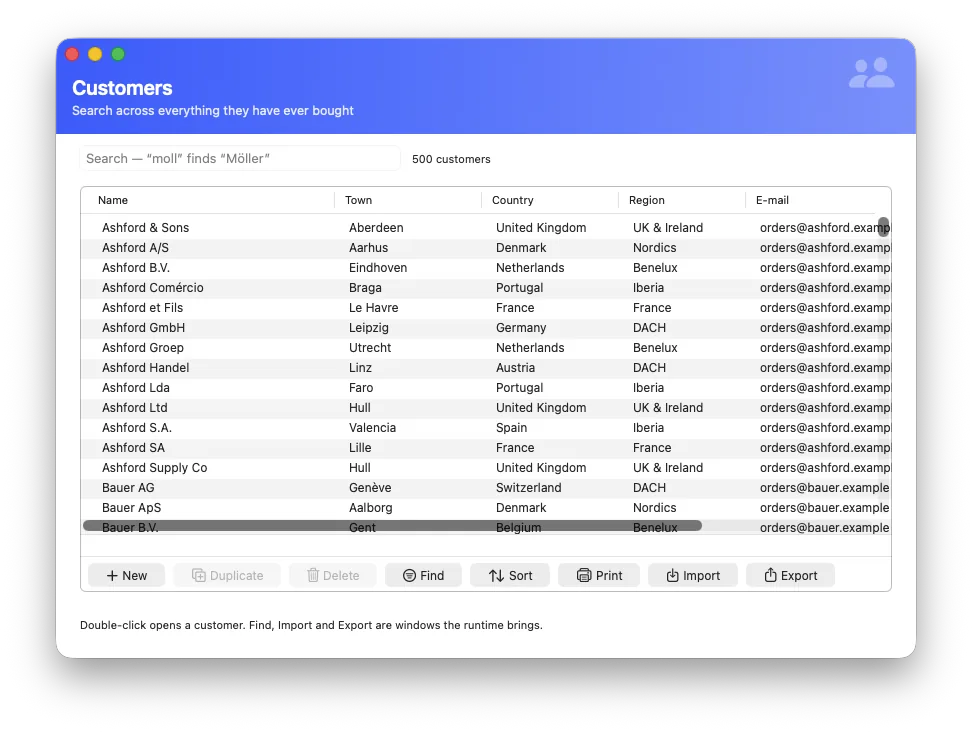
Underneath, the list is real AppKit. Columns you can drag, editing in the cell, type-to-jump, ⌘C, and no thousand-row ceiling — it reads pages as you scroll, so a hundred thousand rows cost what one screen costs.
Row buttons are configured, not written: New sets the relationship, Duplicate leaves out the unique and computed fields, Delete asks once and runs in a single transaction. Each can also just run a script of yours.
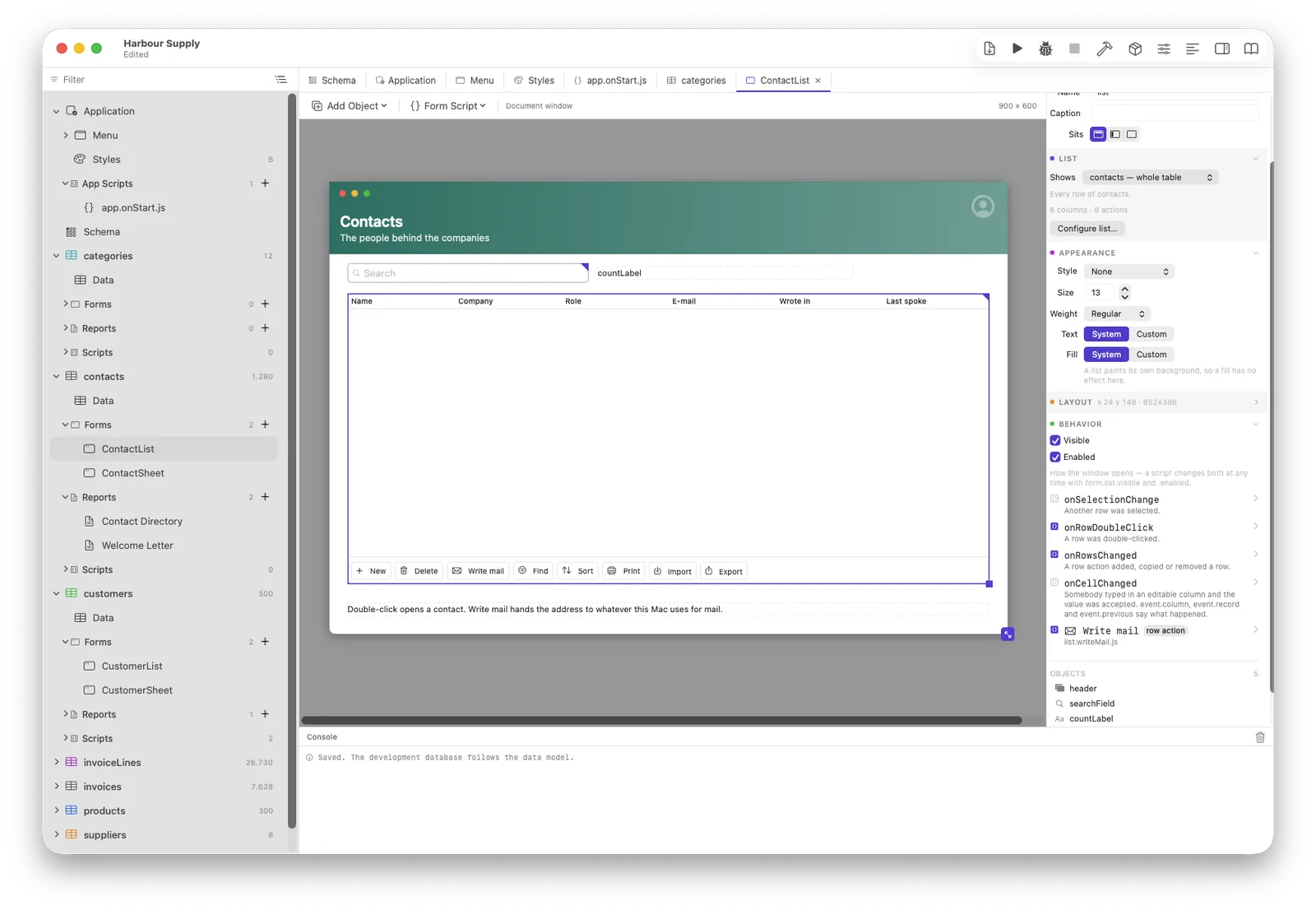
Choosing a record: four faces, one field
A popup menu listing a related table is a fine answer for thirty records and an accusation at three thousand. So the record field has faces, and it picks one by counting — or you choose.
Menu
For a genuine lookup table: countries, VAT rates, the five categories.
Search
Type; the database answers on every keystroke. Full-text and accent-blind where the table has an index, prefix on the label where it has not — never by loading the table.
Chooser sheet
When one line is not enough to tell two customers apart: a real table with your columns, sortable, searchable.
Automatic
Counts the records and takes the menu below your threshold, the search above it. The threshold is a number in the inspector, not a secret.
Two details that decide whether it is pleasant. The dropdown shows the best eight and then says “… and 23 more” with the real number — a silent cut-off is a wrong answer wearing the face of a right one. And a button beside the field opens the record you chose, because looking at that customer is the next thing anybody wants, and closing the window to go and find them again is not an answer.
In a script the value is the record:
form.kundeFeld.value.name reads correctly, and assigning takes a record
or null.
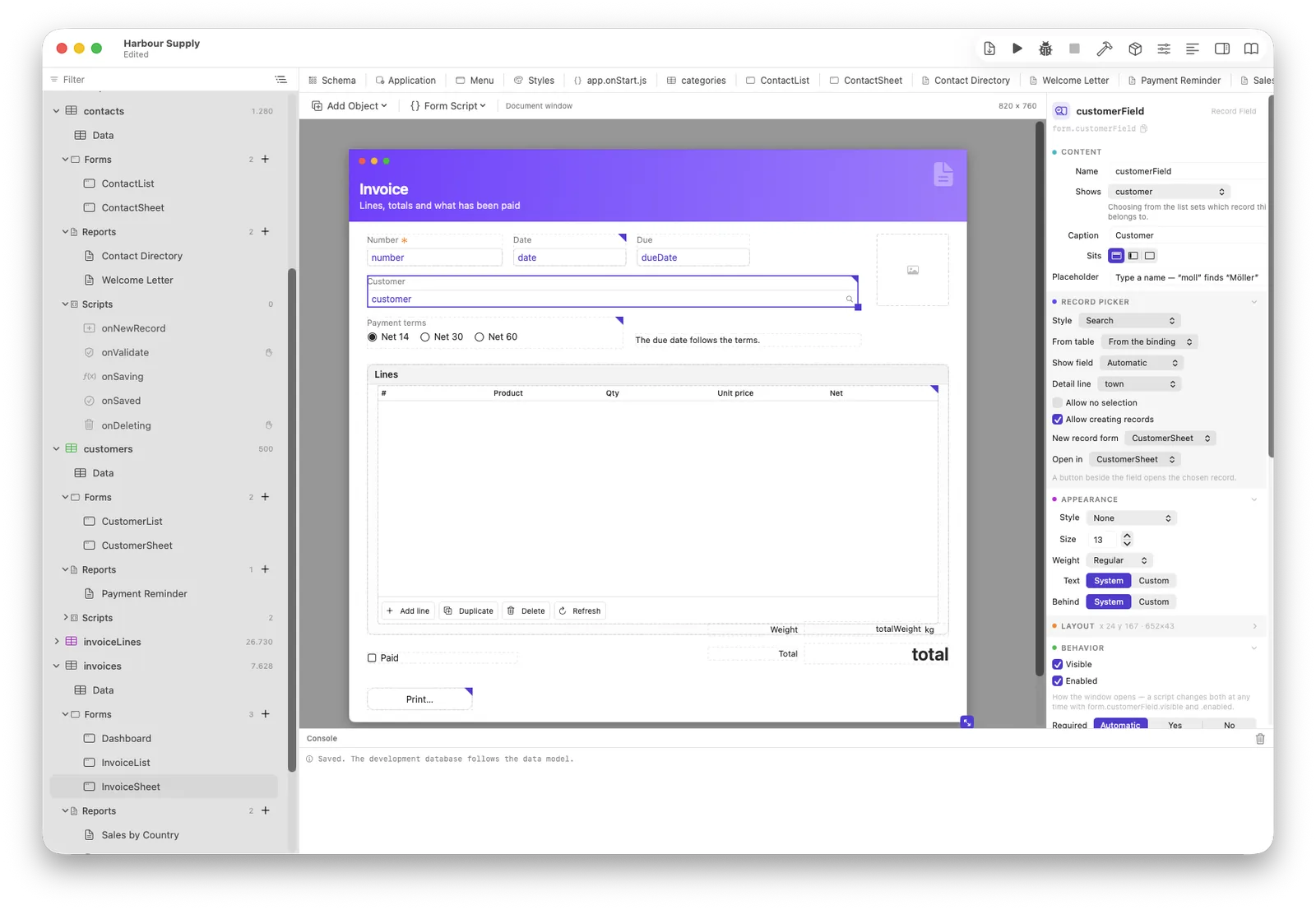
Computed fields
Line total, invoice net, VAT, the open balance. They are a property of the
field itself, not something a script keeps up to date — so they appear by
themselves in every list, every report, every chart and as
position.netto in any script, instead of being rebuilt on each window.
Two sources, and the second is deliberately not code: an expression
(menge * einzelpreis), or an amount over related records — sum,
count, average, smallest, largest, with a condition. Written as an expression, “open
balance” would be a query plus a loop per customer; stated as a fact it is one
SELECT SUM(…).
menge          Decimal   2.5
einzelpreis    Amount    19.90
rabattProzent  Decimal   10

netto          Amount    = menge * einzelpreis
                           * (1 - rabattProzent / 100)
mwstBetrag Amount = netto * mwstSatz / 100Paper that adds up
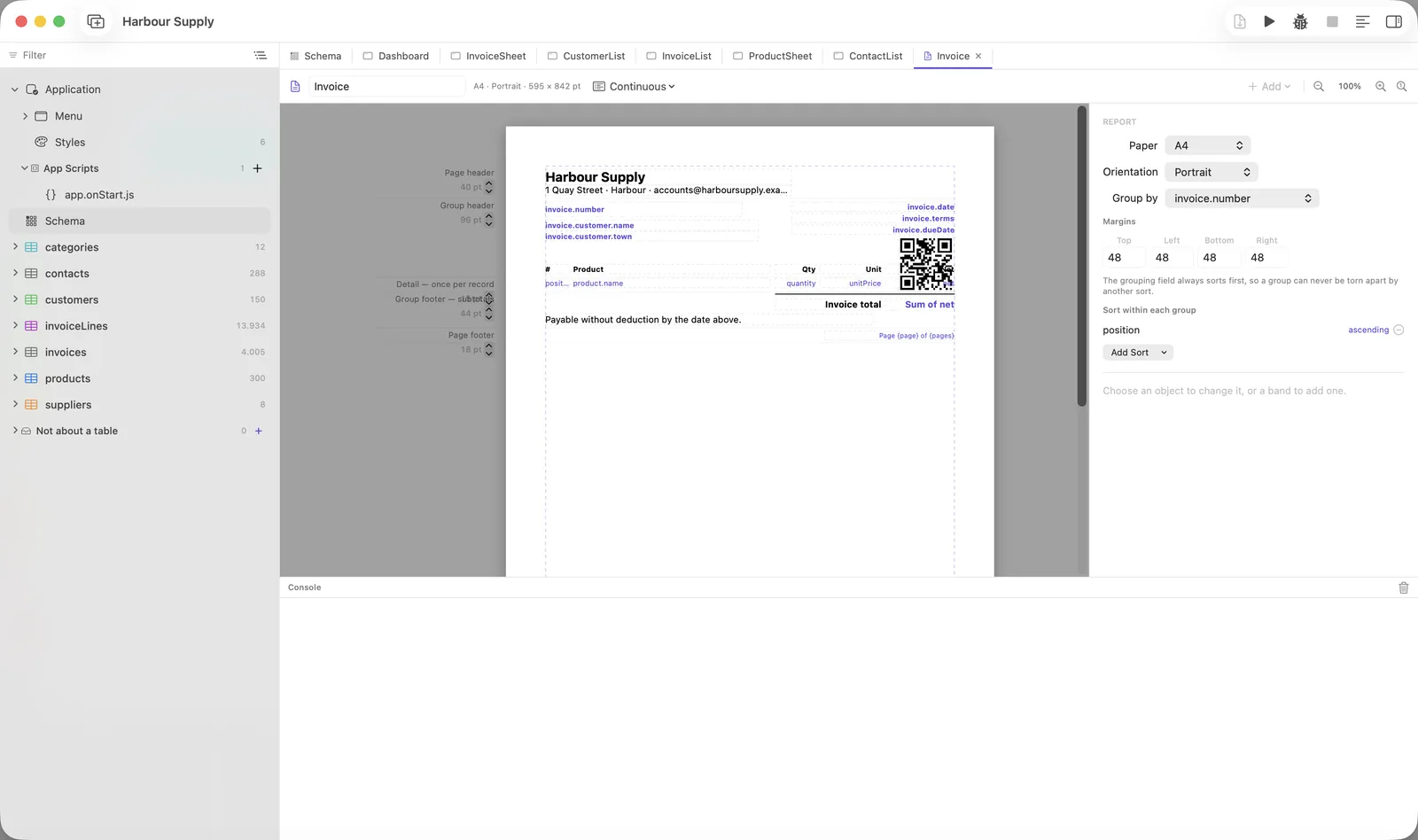
Bands, groups, subtotals, page headers and feet, a chart on the page. Designed the same way as a form, printed straight to PDF. Your customer gets a real print dialog and can keep their own saved reports — theirs live beside the application, yours ship inside it and stay read-only.
A whole band can wear a named style, so a page header is one decision instead of twenty objects each spelling out “9 point, bold”.
Money is its own field type, and that is not decoration
Most tools give you a decimal number and wish you luck. Neuridion has an Amount field, and the difference shows up on the day somebody reconciles a year of invoices against a bank statement and finds they are eleven cents apart.
What a floating-point number does
1.005 × 100  →  100.49999999999999
                 →  rounds to 100
                 →  €1.00
A binary fraction cannot hold €1.005 exactly, any more than a decimal fraction can hold a third. The error is tiny and it is always in the same direction, so it does not cancel out over ten thousand lines — it accumulates. Nothing fails, nothing is logged, and the totals are simply wrong by a little.
What Neuridion stores
€1.005  →  the integer 101 (minor units)
        →  arithmetic in whole cents
        →  €1.01, every time, on every Mac
An amount is a whole number of minor units — cents, pence, whatever the
currency's smallest unit is. Integers add, subtract and compare exactly. There is
one place in the whole product where a typed figure becomes that integer, and a
test nails 1.005 and 2.675 to the wall so the rounding
rule cannot drift when somebody refactors.
In a script it is an ordinary number: invoice.total = 19.99 and
if (invoice.total > limit) both do what they look like. The integer
is how it is stored, not how it is written — a design that made you
multiply by a hundred by hand would have moved the bug rather than fixed it.
What the reader sees follows the Mac it is running on — 1.234,56 in
Germany, 1,234.56 in Britain. What goes into a file is the other
question and has the other answer, or a CSV written in Stuttgart cannot be read in
Dublin. Neuridion keeps the two apart on purpose; most bugs of this kind are one
spelling used where the other belonged.
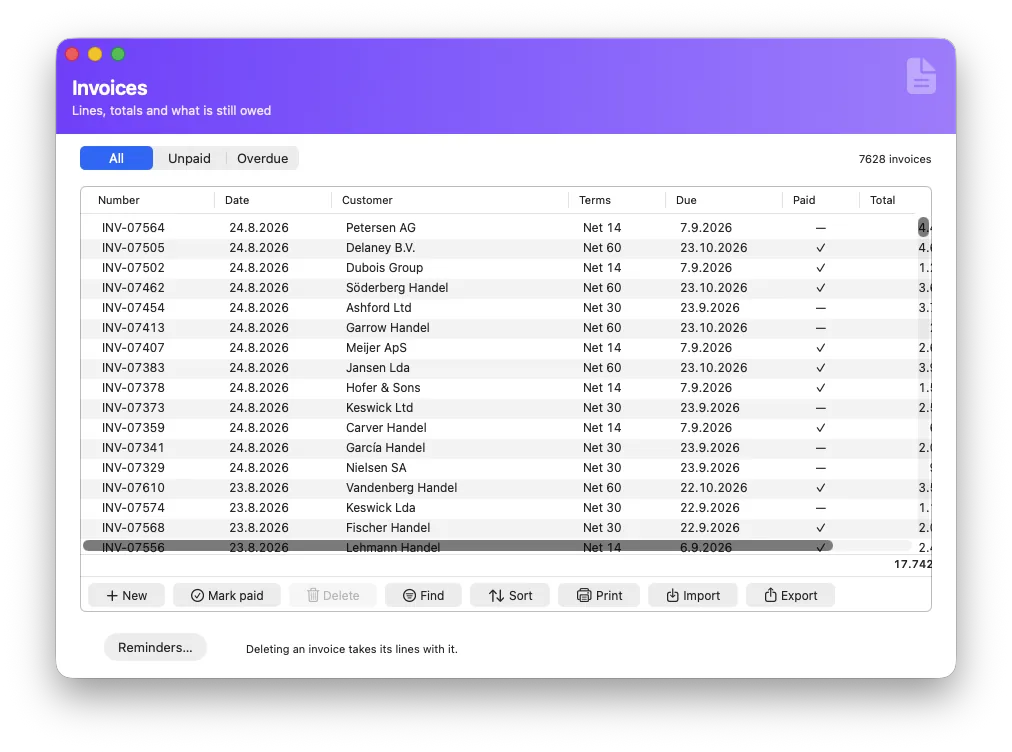
A footer under a money column totals the whole set — all 7,628 invoices, not the twenty rows on screen — and it is SQL doing the adding in C, over integers. No thousand values are pulled into a script to be added up in a loop, so the total on a form and the total on the printed report cannot disagree.
Half up, at the point where a figure becomes an amount — the rule an invoice is expected to follow. It is one decision in one place rather than whatever the language happened to do that day, which is what makes a total reproducible on somebody else's machine a year later.
None of this is visible while you work, which is rather the point: you tick Amount in the designer instead of Decimal, and the class of bug that is famous for surviving into production — because it never crashes, never logs and only shows up in somebody else's arithmetic — is simply not available to you.
A look round
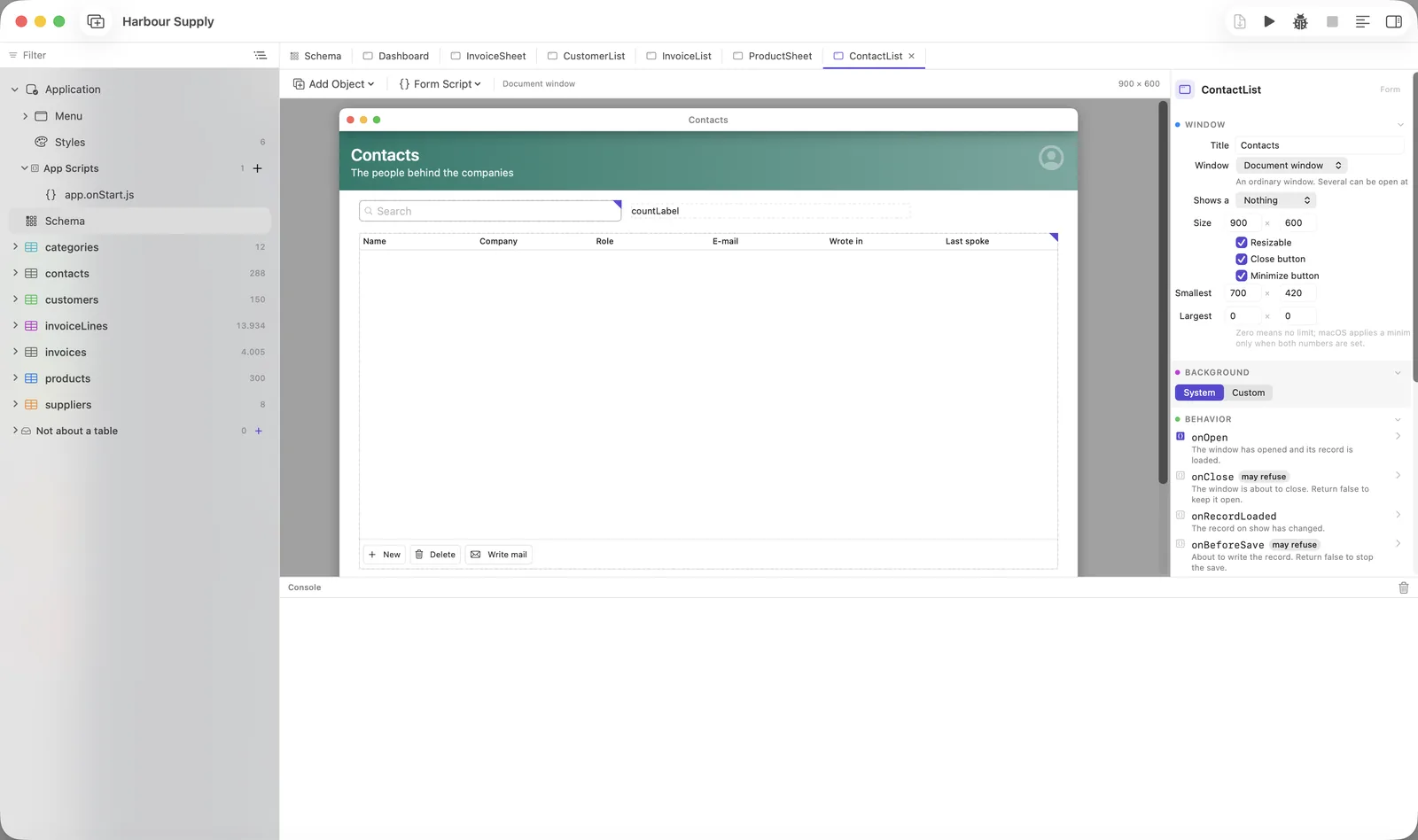
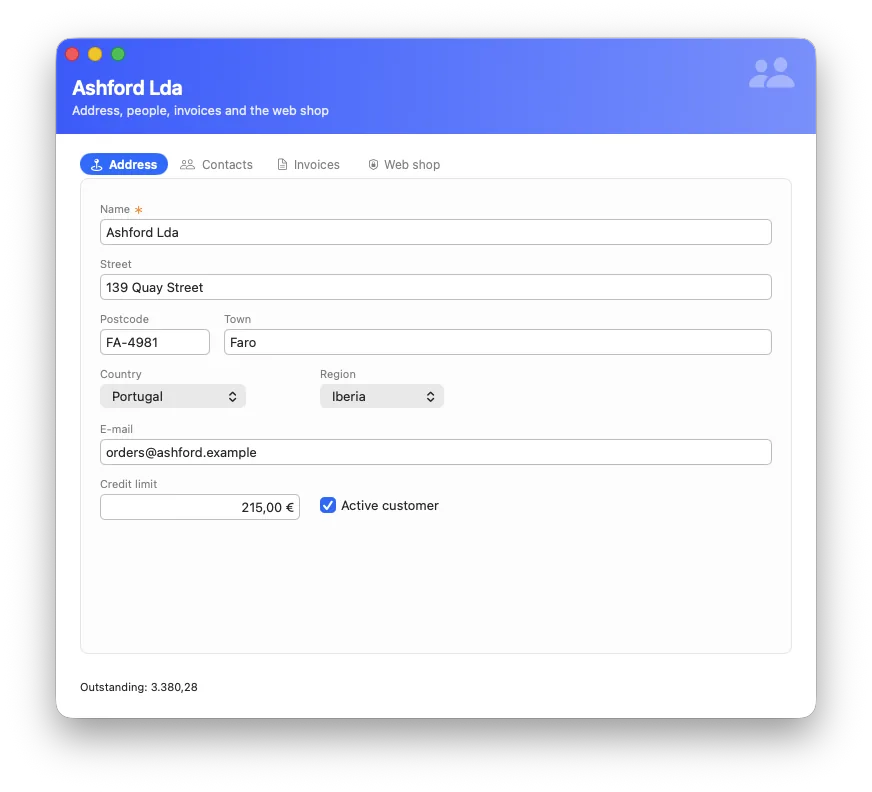
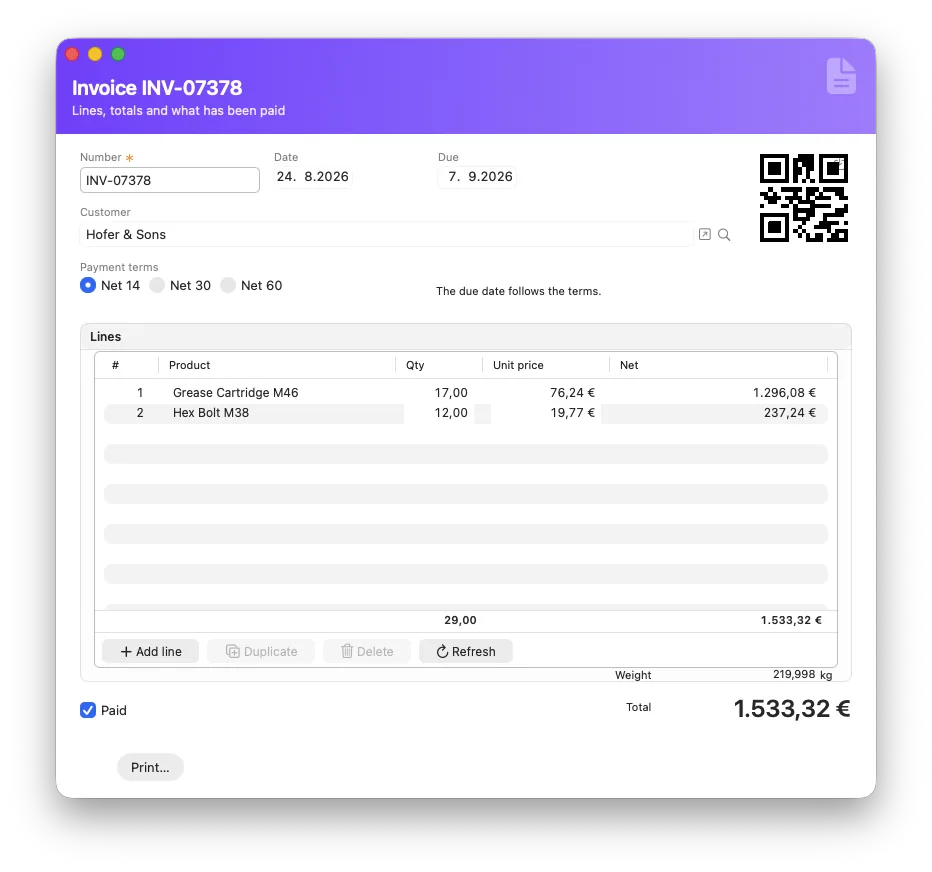
Eleven windows, and what each one is for.
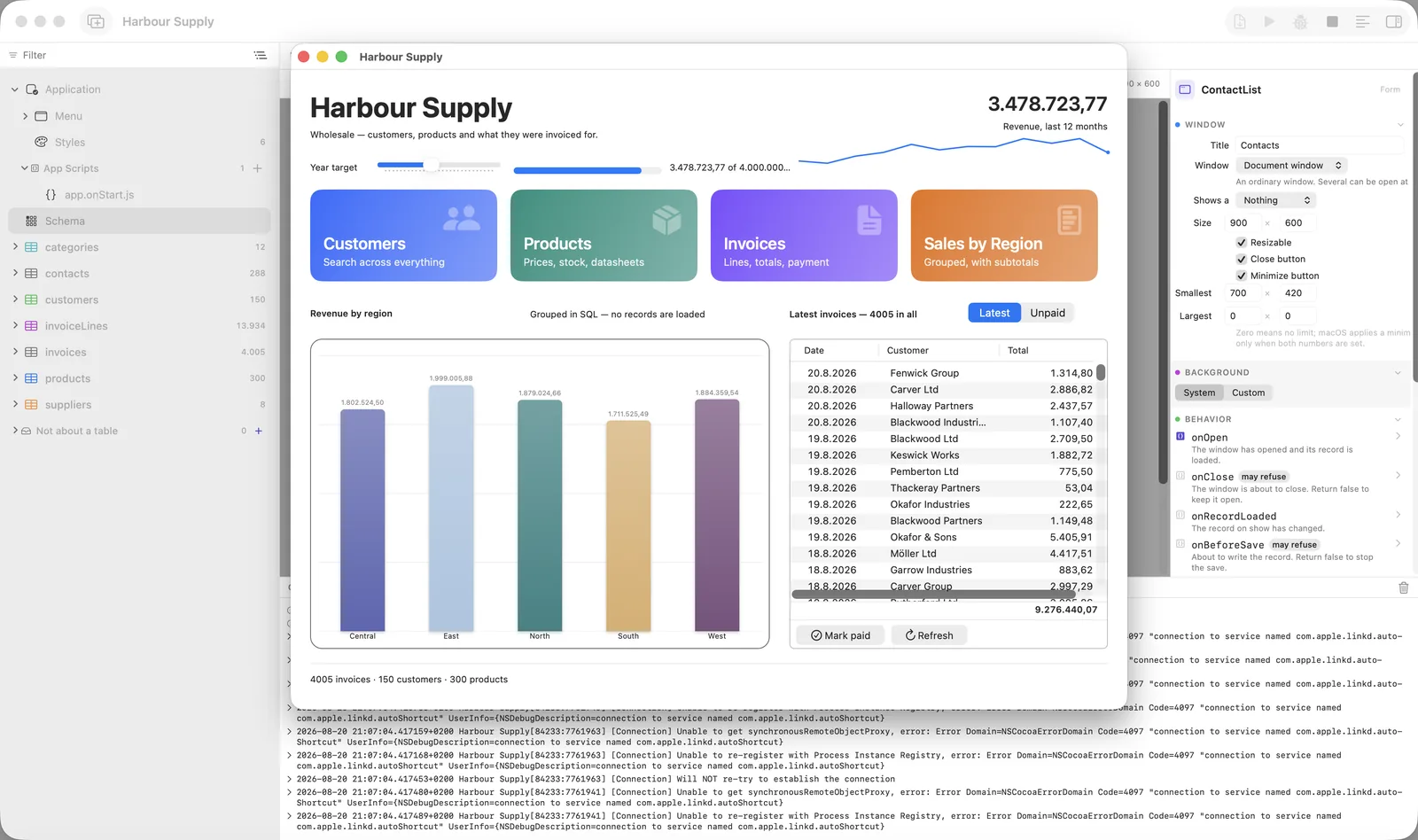
All of it is the same example project, photographed by the machine rather than arranged by hand — so these are what the current version looks like, not what it looked like when somebody last remembered to take a picture. Click to enlarge.
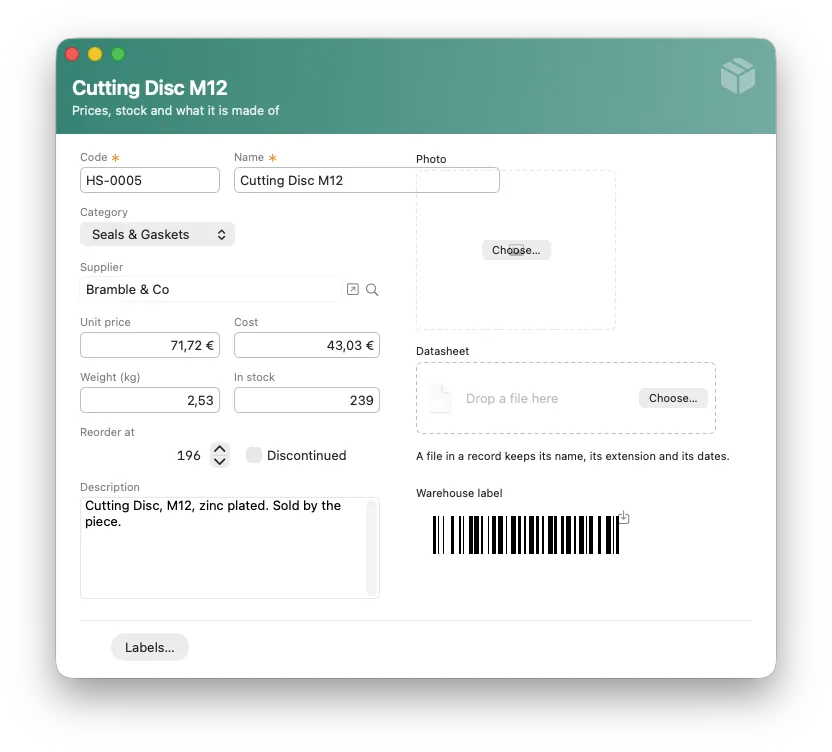
And in your customer’s language, without doing anything about it
Everything Neuridion itself puts on screen — the backup window, the standard dialogs, find and sort, import and export, the report manager, and every error message a person can be shown — exists in English, German, French, Spanish, Italian, Portuguese, Dutch, Polish and Turkish. It follows the Mac it is running on, so your German customer’s application is German and the copy they send to Lyon is French, without you rebuilding anything. Name a language in the project if you would rather know exactly what is on the screen. The client and the server come with it, being the same runtime with a different job.
Two things that follow, and both are deliberate. The development environment is never translated — it is English, in every version, and inside Run that lands the right way round: you see what your customer will see. And log entries stay English, because a log is searched, quoted in an email, and pasted to somebody who does not speak the language it was written in. One fault, two readers.
And all of it in dark, without doing anything about it
A color left on inherit follows the appearance, which is why a form drawn once is readable in both. The examples paint no ground and pick no text color — that is the rule, and it is why these are the same windows rather than a second design.
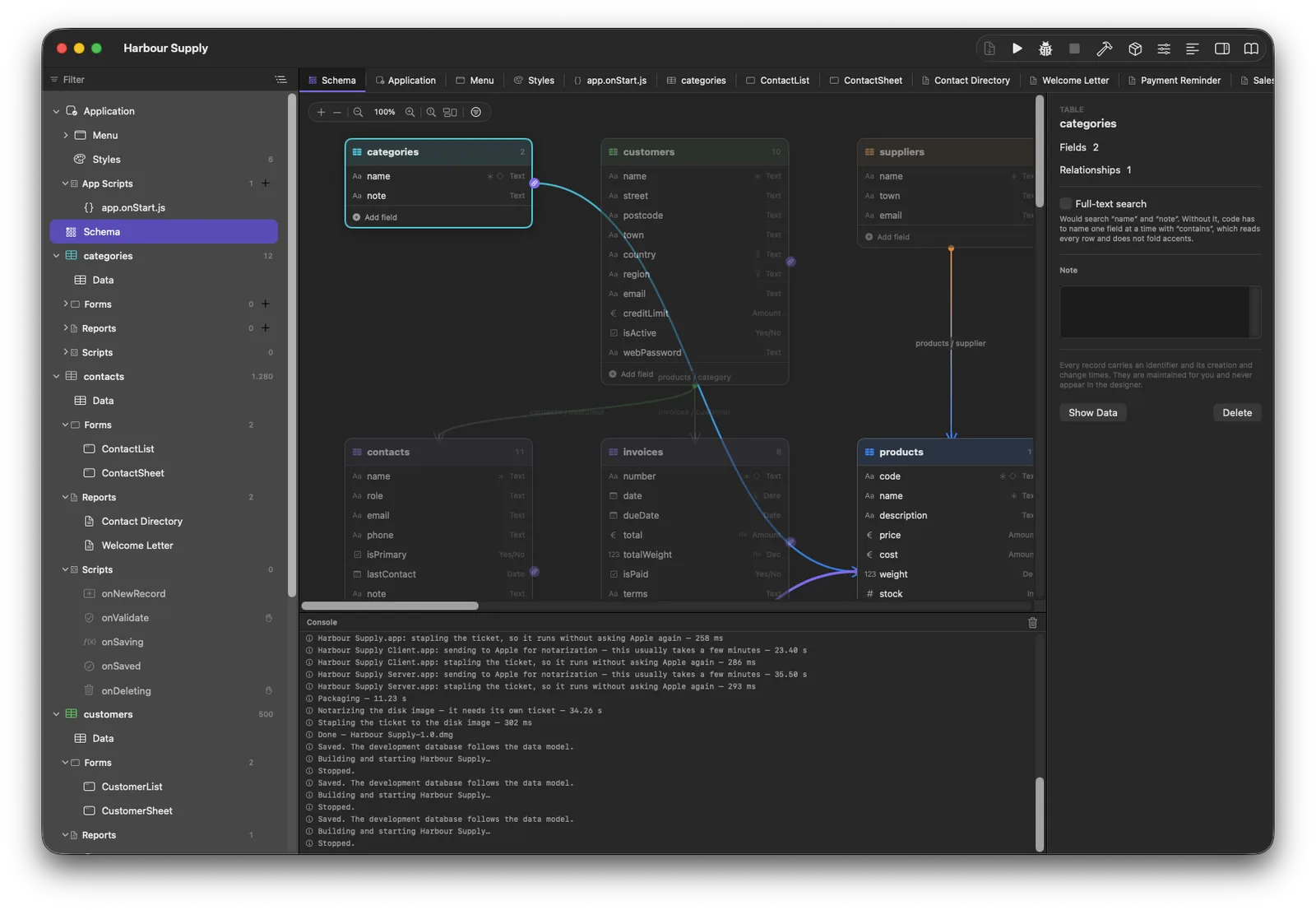
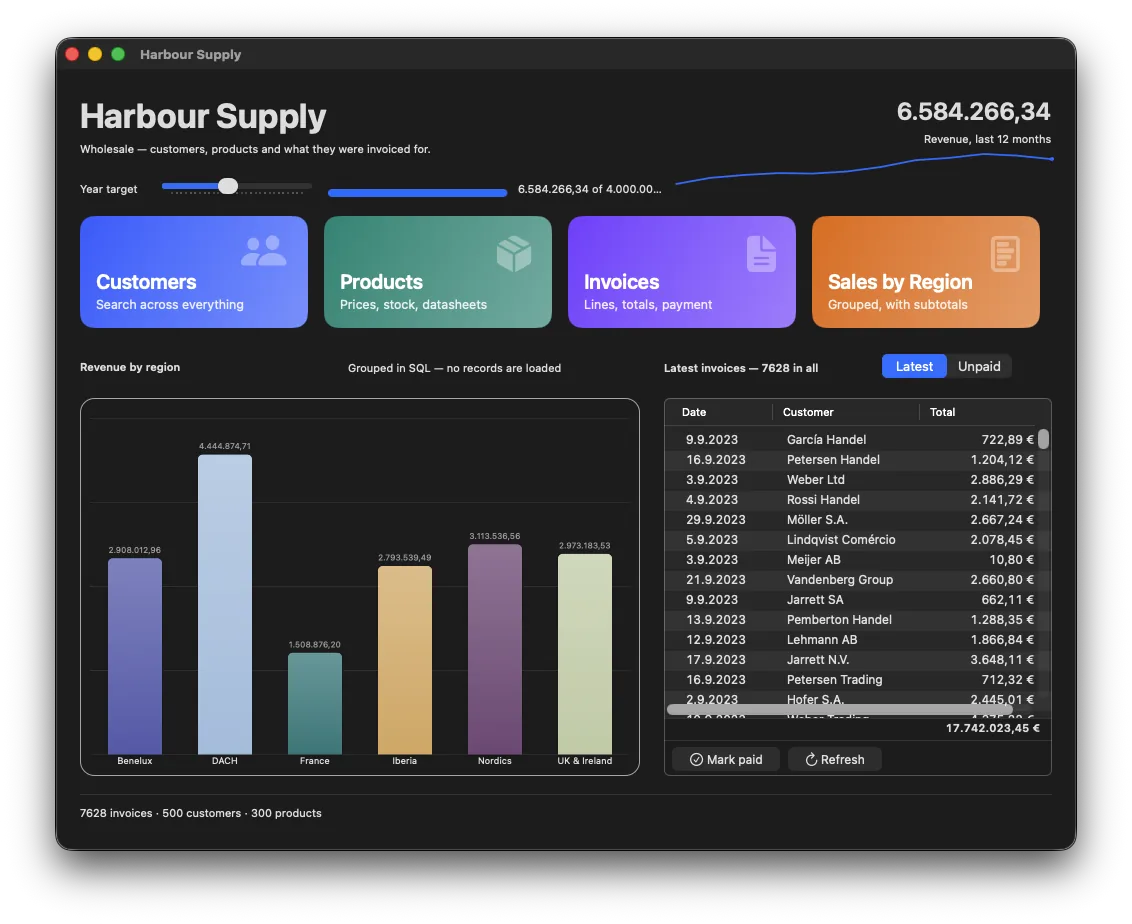
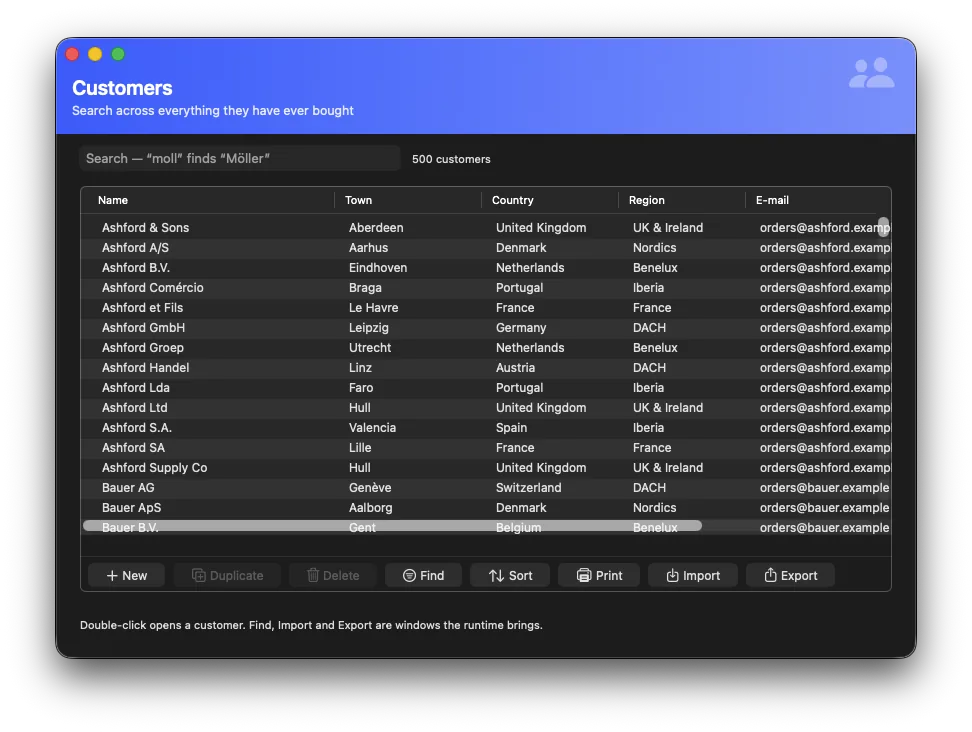
Real indexed search with ranking, accent-blind. It refuses rather than quietly falling back to “contains”, so a slow answer never masquerades as a fast one.
CSV, JSON, XML, a whole editor for it. Save the shape as a profile — never the path — so next month's file runs the same way, matched on a key field instead of doubling every row.
Several conditions with AND/OR, several sort fields. Your customer saves their own searches and gets them back by name.
Automatic, rotated, and only when something was actually written — ten identical copies after a quiet week are ten lost chances. A backup is a plain SQLite file; readable in ten years by anything.
SQLCipher, the same engine in every app you build regardless of the Mac it runs on. On or off with one checkbox.
A document lives in the row and carries its own name, so there is no media folder to drift out of step with the data.
A form object like any other. Grouping is done by the database, so a chart over 200,000 rows is a query, not a load.
PBKDF2 with 600,000 rounds, and the hash carries its own recipe so the cost can be raised later without locking everybody out.
Detect a language, translate, extract fields from a paragraph — on the customer's own Mac, no key, no network, no cost. Or point it at a provider of your choosing.
Breakpoints with conditions and hit counts, step over and out, values you can open, a post-mortem after a throw — and a query log that makes an N+1 loop visible at a glance.
database.kundne gets a dotted underline and a suggestion. ⌘-click on a table opens it. Help appears when the pointer rests, with the field's type, whether it is required, and the note you left in the designer.
Seven decisions in one name, a default per kind of object. The object always wins as a visible exception — and a script can put a style on at run time.