How it works
Four steps, and you write code in exactly one of them.
A visual tool that makes you write code for the obvious parts has not saved you anything. So the obvious parts are drawn and clicked, and the language is there for the decisions that are actually yours.
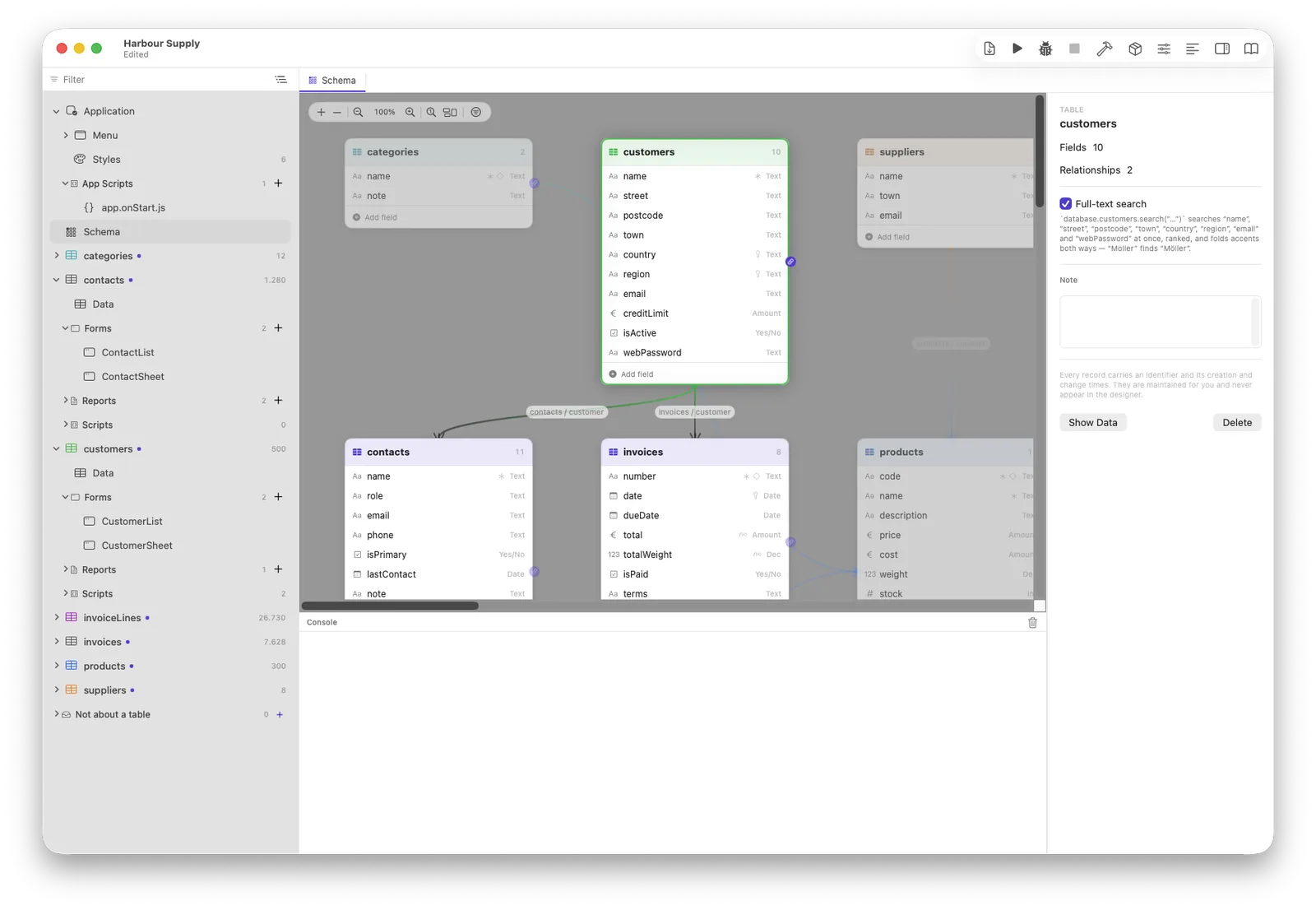
Tables on a canvas, relationships as lines you drag between them. Change a field later and Neuridion migrates the customer's database on the next update, matching by identity rather than by name — so a rename stays a rename.
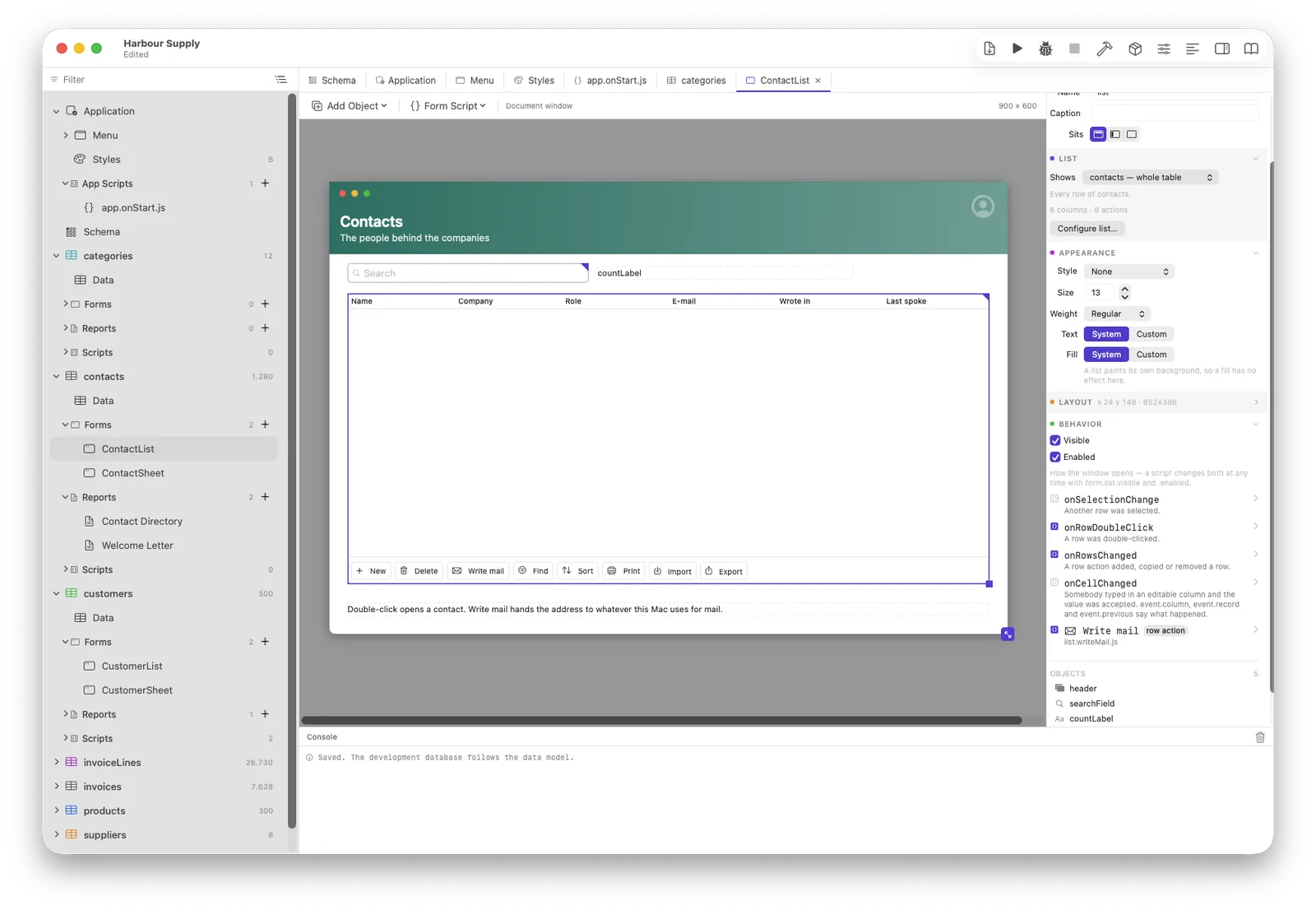
Point it at a table and answer three questions: which fields, in what order, grouped how. Out comes an entry form and a list — with a colored header, a working search box, New · Duplicate · Delete already wired, and a footer that counts.
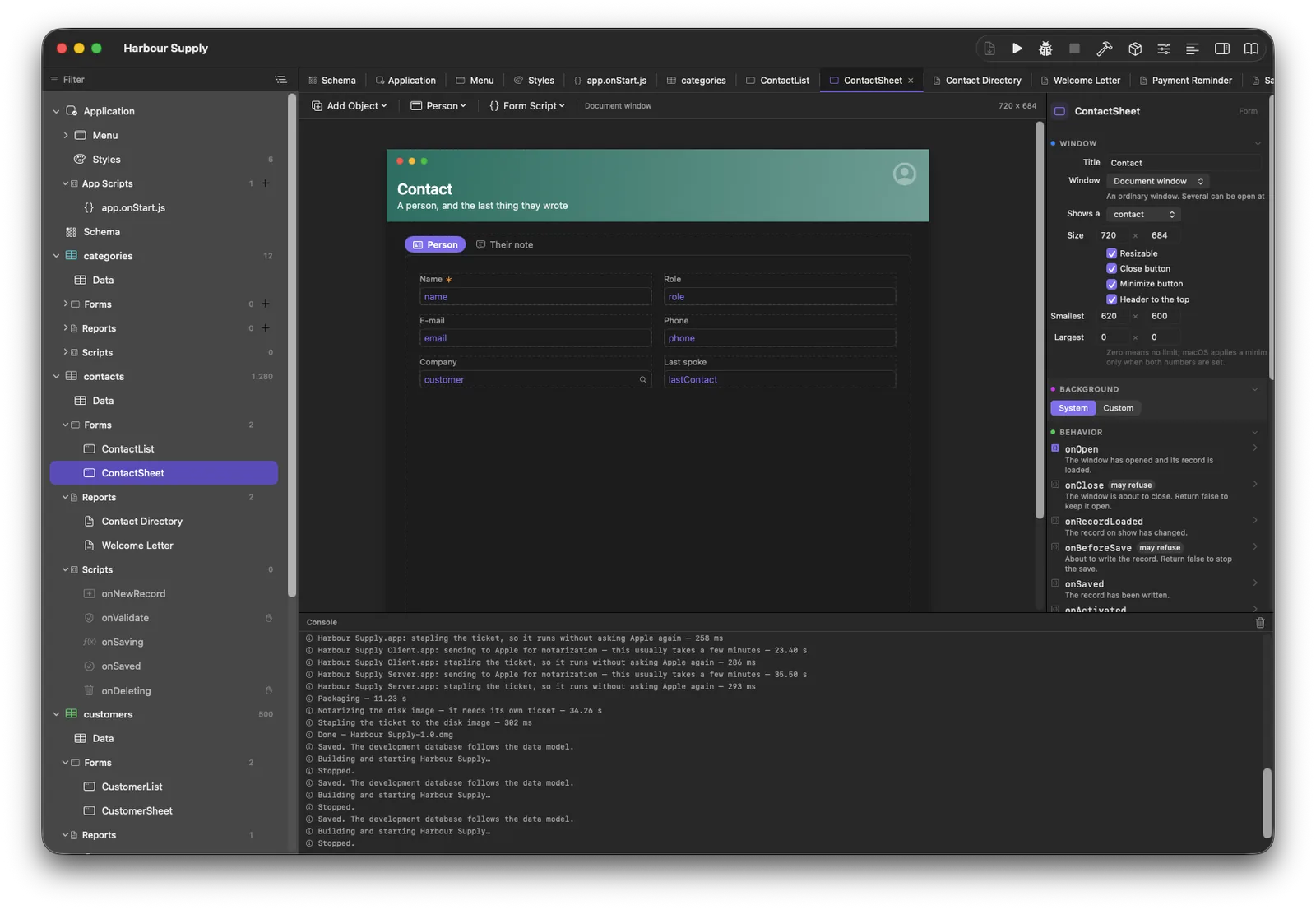
Move things about, set the columns, choose a named style. The canvas and the running window are two drawings of one object, and a test counts them against each other — so what you see is what your customer sees.
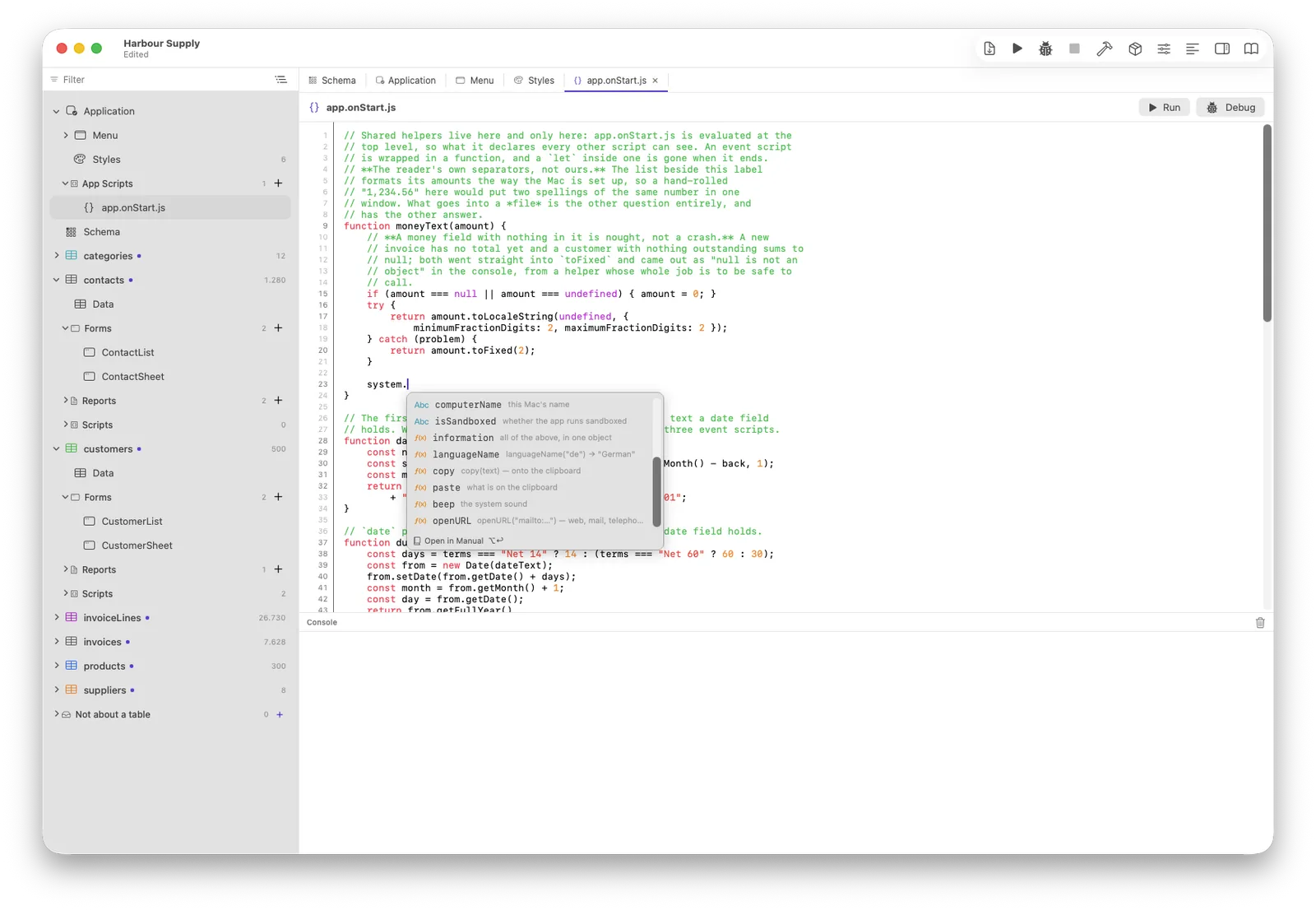
Only the part that is genuinely yours: what happens on save, what a button does, which invoice may not be changed. Plain JavaScript, in an editor that knows your schema and underlines a mistyped table name before you run it.
invoice.customer is the customer, not a
promise of one.