Languages
Your application, in your customer's language.
You type your captions the way you always did. One button fills the translations — on your Mac, offline — and what a human translated, the machine never touches again. That one rule is the whole system.
A single-language application needs no command, no files, no ceremony. The base language is a project setting — “this application is written in German” — and it only says what you type. Every text stays exactly where you wrote it.
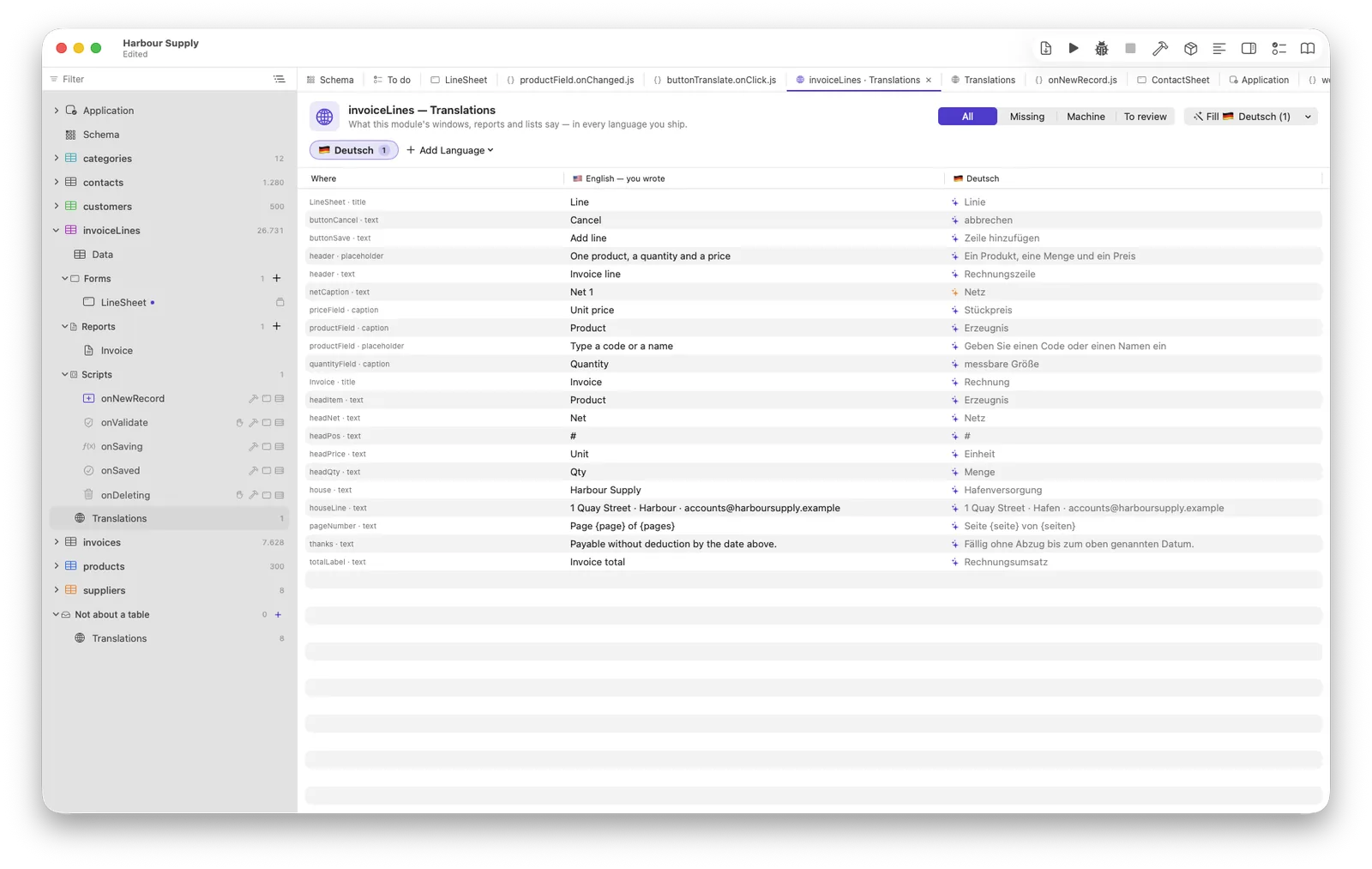
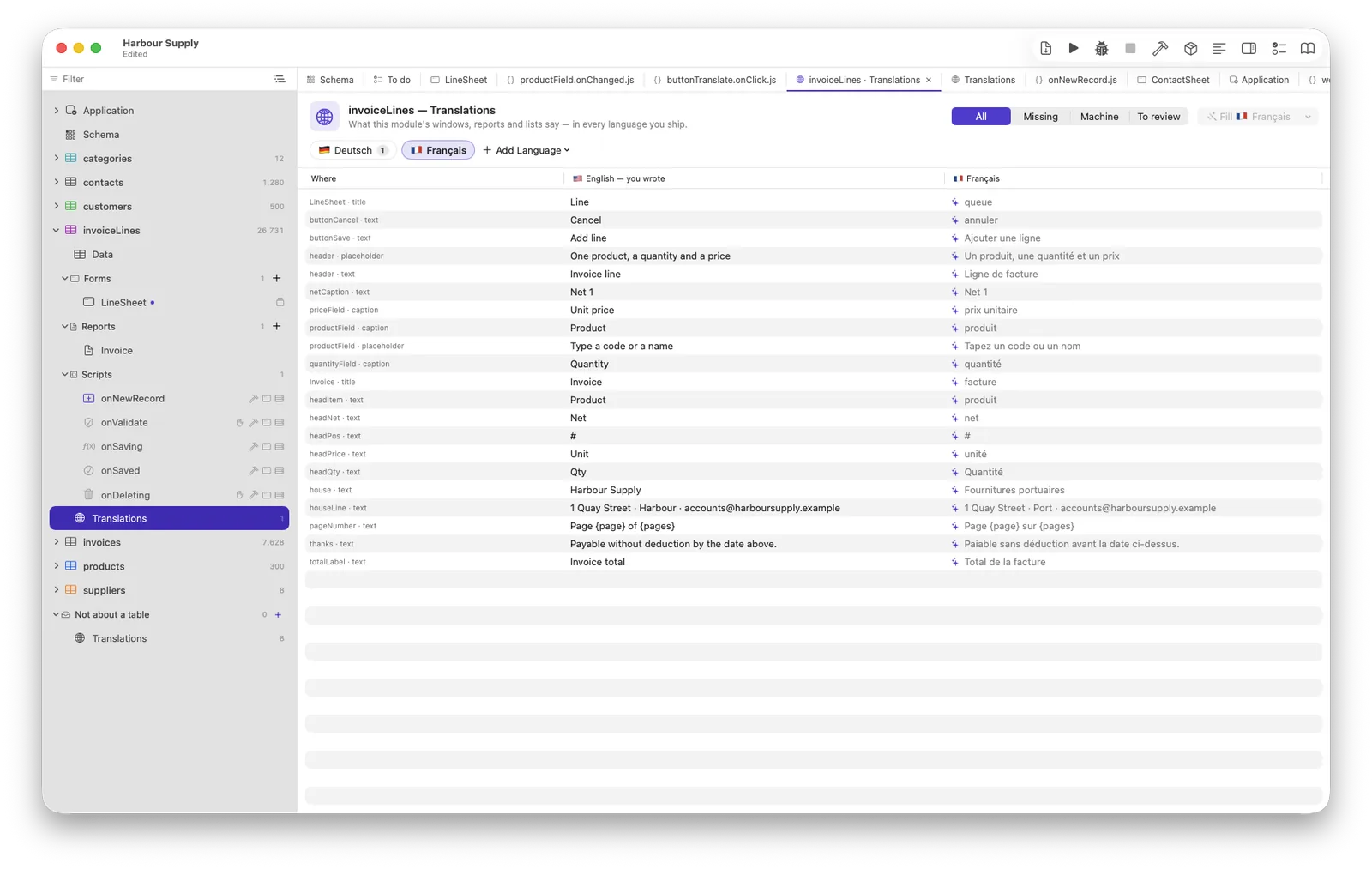
Every table's branch in the navigator ends with a Translations entry: every text of that module, one column per language, typeable in place. The list is enumerated from your forms, reports and menus — you never maintain it, and it is never stale.
Fill translates what is empty or out of date — and says how many before you press it. Machine work carries a ✨ and may be redone; the moment you type over an entry it is yours, and no machine fill touches it again. Change a base text later and your translation is not silently replaced — it turns yellow and asks.
In code, only you know which string is for a person's eyes.
language.text("Saved!") is the mark — the string itself is the base
language, no invented keys — and placeholders travel with the translation:
language.text("Invoice {number} saved", …). A translation that
loses a placeholder is reported before it ships.
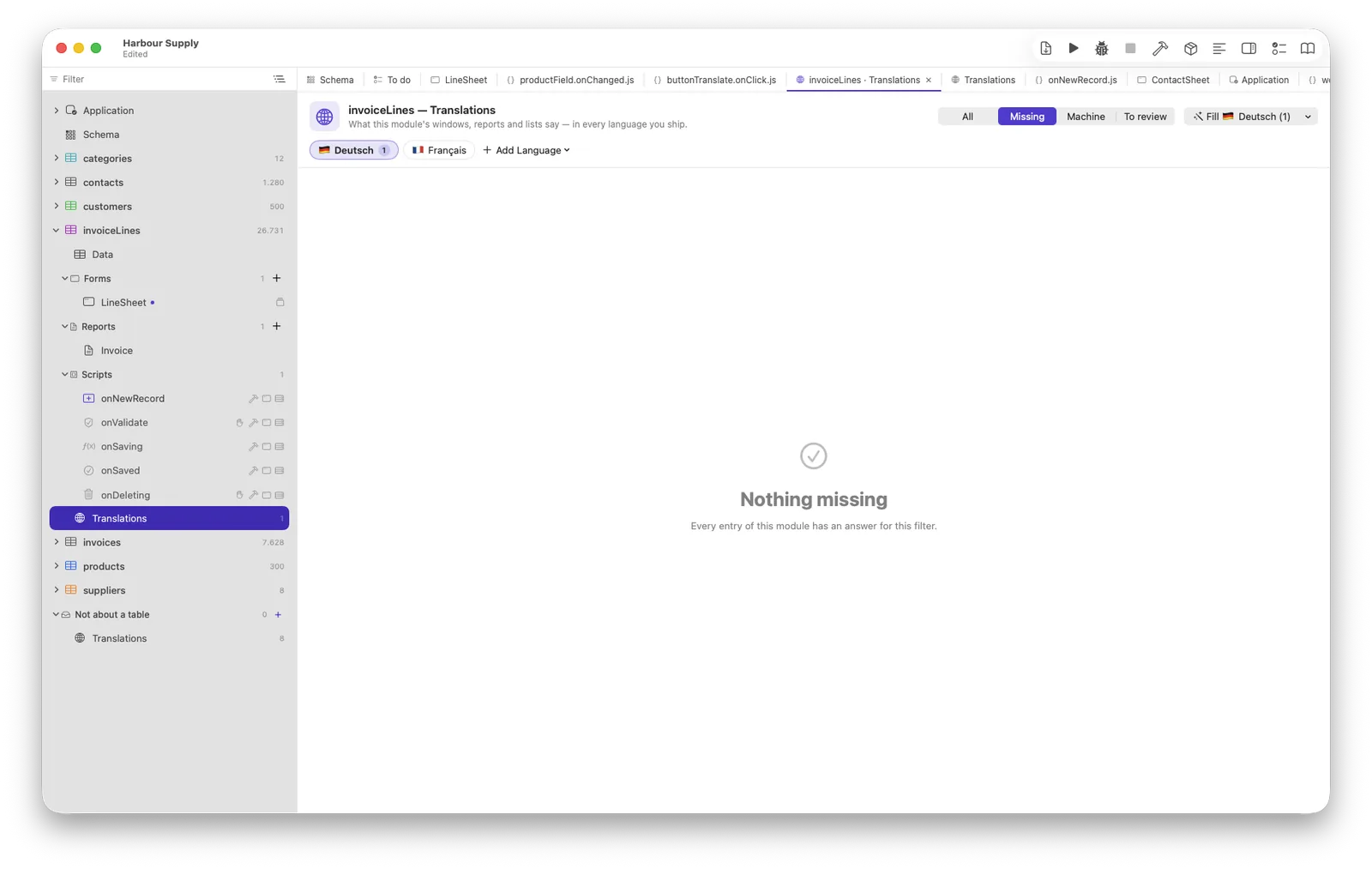
One checkbox per language in the build — with an honest footer: “12 of 480 entries missing — the base text shows there.” A built application follows the Mac in front of its user, within the ticked languages; a missing translation shows your base text, never a blank.
The backup window, the standard dialogs, the find and export editors and every error message a person can be shown speak nine languages out of the box — English, German, French, Spanish, Italian, Portuguese, Dutch, Polish, Turkish — and follow the same choice your texts do. Your customer's data is never translated: it belongs to the person who typed it.
Two machines translate, and both stay on your Mac
Apple’s translation is quick and knows nothing about your windows. Apple Intelligence is told where every text stands — that this word is the title of a button on an invoice window — and that is the whole difference between machine translation that reads like software and machine translation that reads like a machine. Neither needs a network, an account or a key. A hosted model joins the menu if you have one set up, and the entry says out loud that your texts are sent to it.
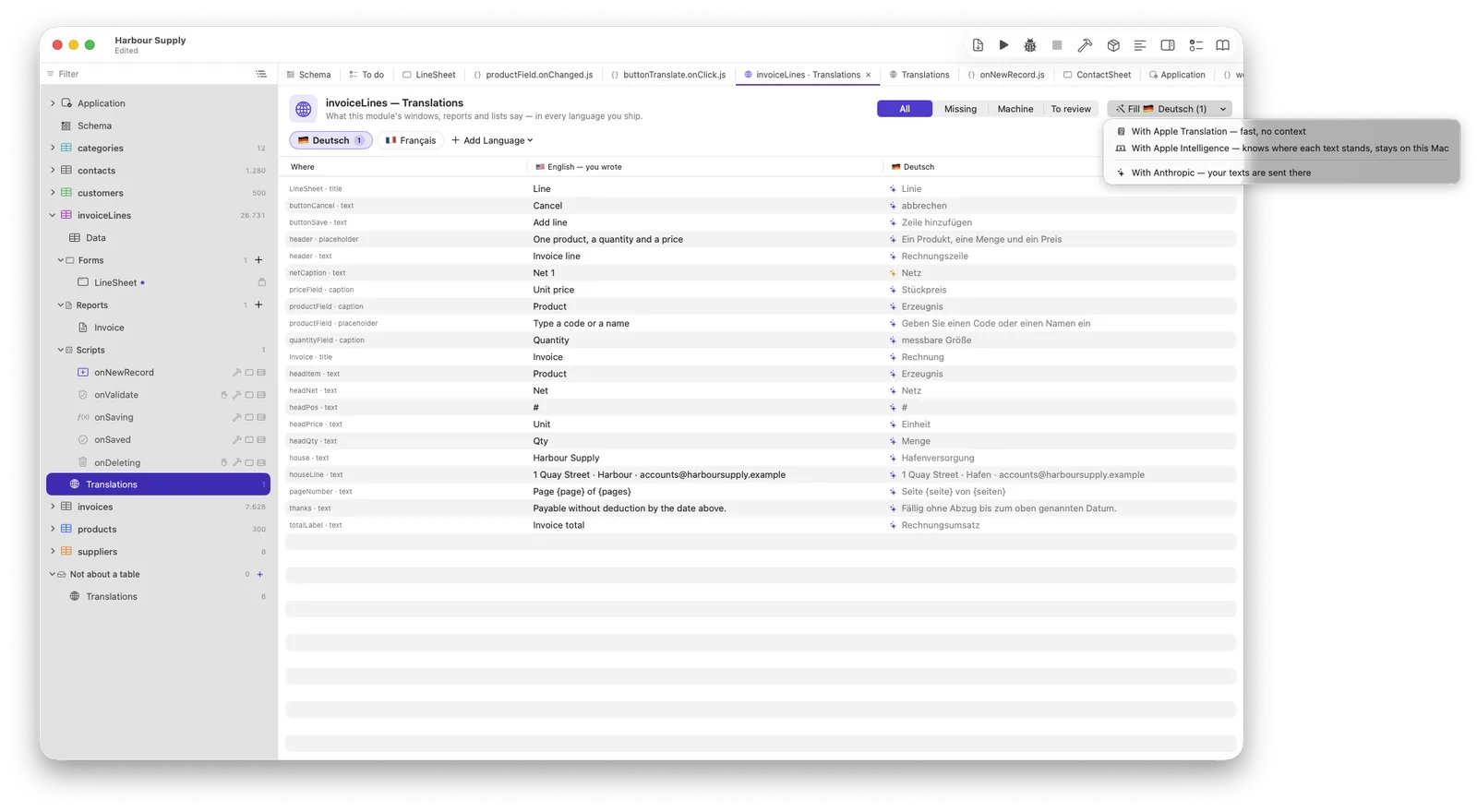
Measured on twelve real captions out of the example project, English into German:
A save button: sparen → Speichern. A column over
orderNumber: Anordnung → Bestellung. A caption
Credit limit: Kreditlinie → Kreditlimit. Single words and
captions are exactly where a context-blind translator guesses wrong.
Whole sentences: the on-device model shortens them, and Apple’s translation keeps them. Neither replaces the other, so both stay on the menu — and this is written here rather than quietly left out, because a comparison that only shows its winner is an advertisement.
2.7 against 3.7 seconds for the twelve — the on-device model is not the slow option. Nothing is sent anywhere on either road, so there is no key to buy, no account to make and nothing to explain to your customer’s data protection officer.
A script’s sentences, marked in one command
In code only you know which string a person will
read — "city" in a query is not a sentence. Right-click →
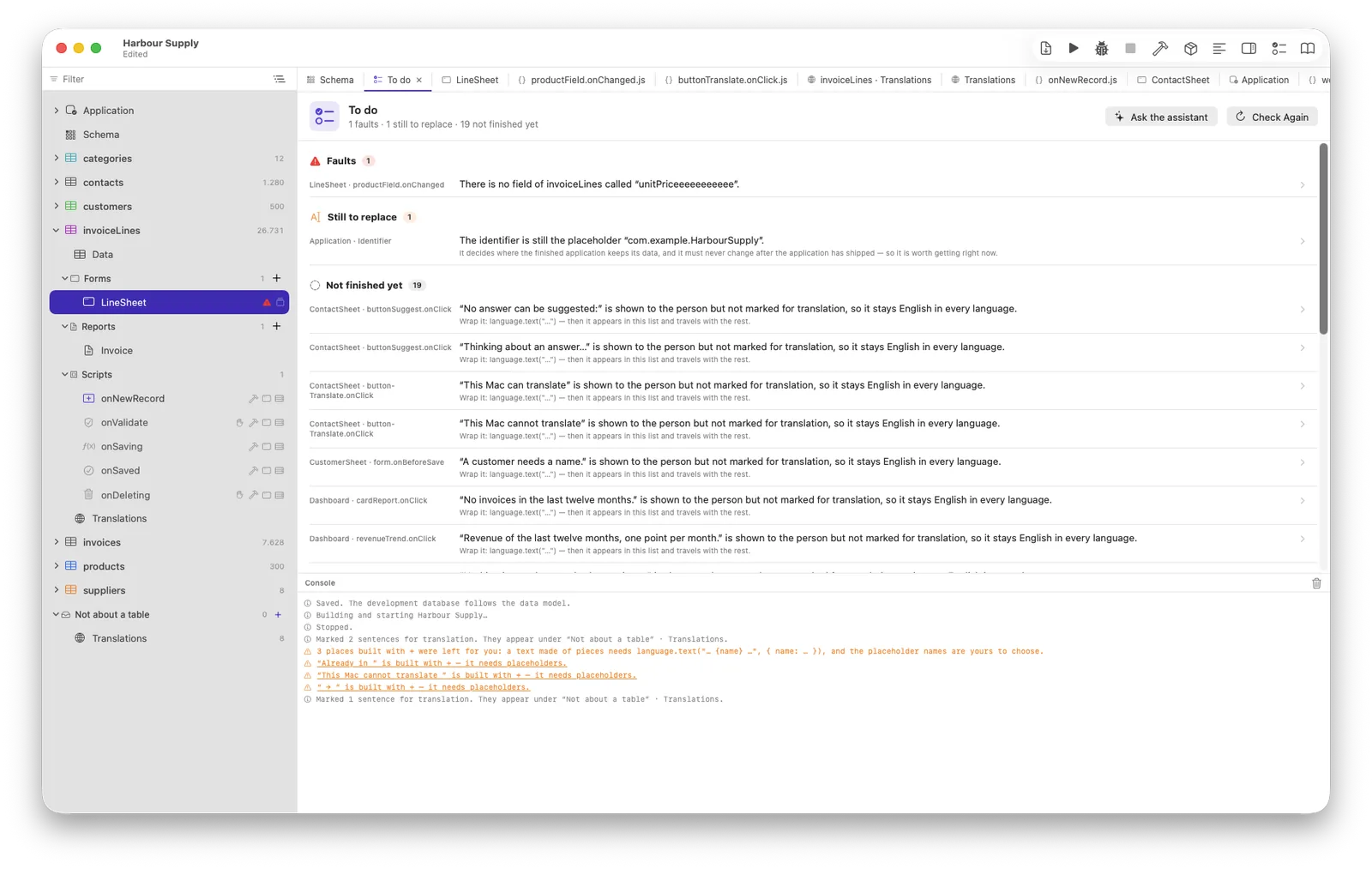
Mark Sentences for Translation, and every text at a place that is read —
an alert, a field’s complaint, a label you write into — gets its
language.text(…), in a single edit that a single undo takes back. A text
built with + is handed back to you, one clickable line per place: it needs
placeholder names, and a machine inventing {a} and {b} would
make the translation worse than the English it replaced.
The result
Page {page} sur {pages}.The long form — the editor, the states, the exact rules — is a chapter of its own in the manual.